Short answer: Decide first whether the screen at the line only shows status or also takes input. A status board needs a size and resolution that fit the dashboard and a position where everyone can see it. An andon or operator station also needs touch that works with the operators' hands, a height they can reach, and a front face that survives cleaning. A panel PC can do both jobs, but only an input station uses everything it offers.
Two jobs that look alike
Line-side screens usually do one of two things. A status board shows output against plan, downtime and open calls to everyone working nearby. Nobody touches it. An operator station lets the person at the line raise a call for help, confirm a work order or acknowledge a stop. The first is a display problem. The second is an input problem with a display attached.
This matters before you request a quotation. If the line only needs a passive board and a PC already runs the dashboard, a monitor connected to that PC may be enough. A panel PC earns its place when the screen must run the application itself, accept touch input and connect to the line network without a separate computer behind it. Our guide to choosing between a panel PC and a rugged tablet at a fixed workstation covers stations where the device might also need to move.
Size the screen from the dashboard
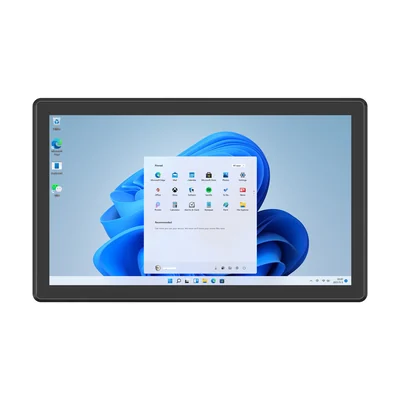
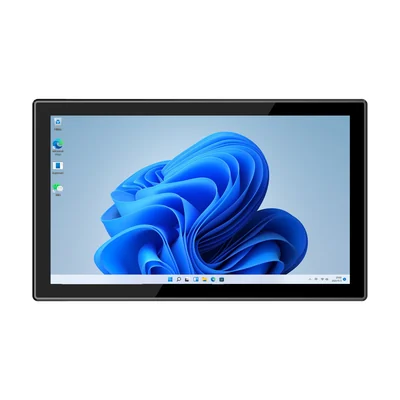
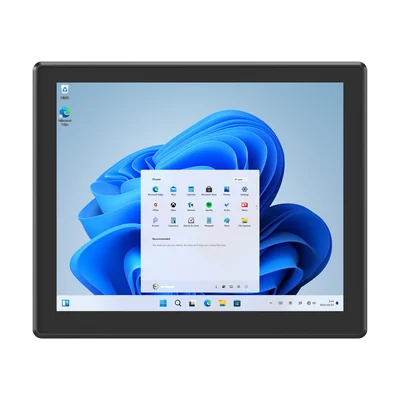
Start from the layout you will show, not from the screen size you have in mind. Many web dashboards are designed for a widescreen display. The RT-P18J (18.5-inch) and RT-P21A (21.5-inch) both run at 1920 × 1080, so a 16:9 layout fills the screen without rescaling. The RT-P17J is a 17-inch panel at 1280 × 1024, a squarer 5:4 shape. That suits a station application built as a form or a list. A widescreen dashboard on it will show empty bands or need its own layout.
| RT-P17J | RT-P18J | RT-P21A | |
|---|---|---|---|
| Screen | 17 in, 1280 × 1024 | 18.5 in, 1920 × 1080 | 21.5 in, 1920 × 1080 |
| Touch | 10-point capacitive | 10-point capacitive | 10-point capacitive |
| Processor | See product page | Intel Celeron N5100 | Intel Core i5-1235U (i7-1255U optional) |
| Operating system | Windows 11 Pro standard; Home or IoT optional | Windows 11 Pro standard; Home or IoT optional | Windows 11 Home, Pro or IoT |
Then check reading distance with the real content. Put the actual dashboard on a sample, stand where the operators work and where supervisors walk past, and confirm that the numbers people act on are readable from both places. Enlarge those numbers in the dashboard before you move to a larger screen.
Brightness under factory lighting
The RT-P18J and RT-P21A displays are rated at 250 nits. That is an indoor rating, suited to a screen under the line's own lighting. Near open loading doors, skylights or other direct daylight, the image can wash out. If a station has to sit in that kind of light, move it, shade it, or test the sample in that exact position before ordering. For screens that must work in daylight, see our overview of sunlight-readable displays.
Touch, gloves and cleaning
All three models use 10-point capacitive touch and list a front panel rated IP65. Capacitive touch is designed for bare fingers. If operators wear gloves, test the gloves they actually wear on the sample before you rely on on-screen andon buttons. Make the buttons large, and keep "call for help" and "acknowledge" far enough apart that one cannot be pressed for the other.
The IP65 rating covers the front face. The rear and the cable connections depend on how the unit is installed. Our guide to front panel IP65 on panel PCs explains what the rating does and does not cover, and which cleaning methods need separate approval.
Mounting height and weight
The three models list embedded, desktop, wall-mounted and cantilever installation. The two jobs pull in different directions. A status board should sit high enough to be seen over racks and passing carts. An operator station should sit within reach of the person who uses it. If one screen must do both, a cantilever arm lets you set a compromise and adjust it later.
Weight decides what a wall bracket or arm must carry. The product pages list 3.22 kg for the RT-P18J and approximately 5.05 kg for the bare RT-P21A. Our guide to mounting an industrial panel PC covers cut-outs, brackets and cable routing for each method.
Connections to the line
A status dashboard usually reads its data over the network from production or MES software. The three models list two Gigabit RJ45 ports, which can be used to keep a plant-floor network and an office network on separate connections where your IT team requires it.
Two RS232 serial ports are standard on all three. A jumper-selectable configuration with one RS232 and one RS485 port is an option. Use serial when an older device at the line, such as a counter or a light-tower controller, only offers a serial interface. Name the configuration you need in your enquiry.
Test the real workload
A single dashboard in a browser places a different load on the processor than a station that also shows video, inspection images or several applications at once. Do not size the processor from the dashboard demo. Run the real application on a sample for a full shift, with the same refresh interval and the same number of open screens you will use in production.
If the station only runs a browser dashboard or an Android app, an Android panel PC may also fit. Our guide to Windows or Android on an industrial panel PC explains how to decide.
What to send with your enquiry
- Whether each screen shows status only, takes operator input, or both
- The dashboard or station application, and the resolution it is designed for
- Reading distance and the lighting at each position
- Whether operators wear gloves, and which ones
- Mounting surface, height, and any arm or bracket you already use
- Network and serial connections at the line
- How many stations you plan to pilot
Use our pilot validation checklist to plan the sample test, and see how panel PCs fit other stations on our manufacturing industry page. The full range is on the industrial panel PCs page.
Devices for this workflow