Short answer: If the station runs an existing Windows application, drives printers or scales through Windows drivers, or must join your Windows management, choose a Windows panel PC. If the station runs a single Android app, a browser-based screen or a simple display and sign-in task, an Android panel PC can be enough. Confirm the exact application, peripherals and management tools on a sample before ordering.
Same screen, different platform
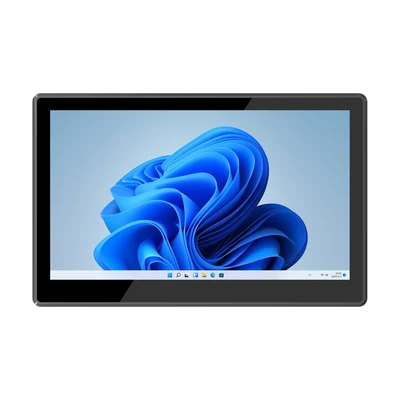
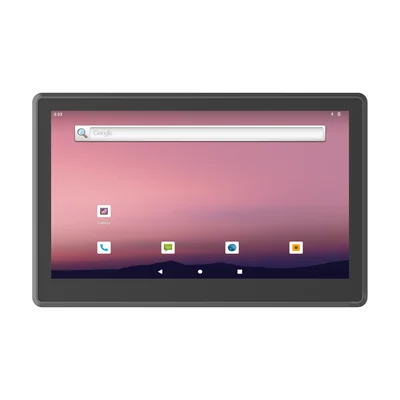
Industrial panel PCs are often offered in matching pairs. The RT-P15J and the RT-P15R both list a 15.6-inch, 1920 × 1080 touch display, front-panel IP65, and embedded, desktop, wall or cantilever installation. The difference is underneath:
| What to compare | RT-P15J (Windows) | RT-P15R (Android) |
|---|---|---|
| Processor | Intel Celeron N5100 (x86) | Rockchip RK3568 (ARM) |
| Operating system | Windows 11 Pro; IoT or Home optional | Android 12 |
| Memory and storage | 8 GB / 128 GB | 4 GB / 64 GB |
| Ethernet | 2 × Gigabit | 1 × Gigabit |
| USB | 2 × USB 3.0, 2 × USB 2.0 | 1 × USB 3.0, 1 × USB 3.0 OTG, 2 × USB 2.0 |
| Serial | 2 × RS232; RS485 by jumper option | 2 × RS232; RS485 by option |
Neither column is better in general. The right one is the column your software and peripherals already fit.
Start from the station software
Write down exactly what will run on the screen:
- An existing Windows desktop application, for example a WMS client, a production terminal or a weighing program. It needs Windows on x86. Check the Windows edition it supports.
- An Android app, from your own team or a vendor. It needs Android, and you should check which Android version it targets and whether it depends on Google Mobile Services. Ask whether the device you are quoting includes them.
- A browser-based screen, such as a dashboard or a web form. Either platform can work; test the exact browser and page on the device.
- A vendor HMI or kiosk runtime. Ask the runtime vendor which platforms and processor architectures it supports before choosing hardware.
If the answer is "we are not sure yet", test the application on both before committing the fleet.
Check every peripheral through its driver
Panel PCs at a station often serve a label printer, a barcode scanner, a scale or a card reader. On Windows, these usually rely on the manufacturer's Windows driver or a serial connection. On Android, each one needs an Android driver, an SDK or a serial path your app can open. A printer that works through a Windows driver may need a different integration on Android.
List each peripheral with its connection type (USB, RS232, RS485, Ethernet or Bluetooth) and confirm it works with the platform you choose, not only that the port exists.
Count the network connections
A station that sits on two networks, for example a production network and an office network, needs two Ethernet ports or a separate network device. The RT-P15J lists two Gigabit ports; the RT-P15R lists one. Decide this before choosing, because adding a second port later usually means extra hardware.
Decide how the fleet will be managed
Windows panel PCs can usually join the tools your IT team already uses for Windows devices, such as group policy or Intune. Our guide to rugged Windows tablets with Intune covers the enrollment questions, which apply to Windows panel PCs as well.
Android panel PCs are managed through a mobile device management tool or a kiosk configuration. Check that your tool supports the device and the Android version, and how updates will be delivered.
If you want a locked-down Windows station with a long servicing period, ask about the Windows edition before ordering. Our guide to Windows IoT Enterprise LTSC explains what to confirm.
When neither fits: Linux
Some station software is written for Linux. In that case, ask whether a Linux image is available for the model, which version it is and who maintains it. Our guide to Linux on vehicle tablets sets out the same questions for an image you plan to run in a fleet.
Test one sample
Before a fleet order, install the station on a sample: the application, every peripheral, the network connections and your management tool. Run a full shift, restart the unit, and apply one update. If the station also has to decide between a fixed panel PC and a docked tablet, see Panel PC or rugged tablet at a fixed workstation.
What to send with your enquiry
Tell us the application and the platform it runs on, the peripherals and their connections, the networks the station joins and how you manage devices. Send it through Contact and we can propose the Windows or Android configuration that fits.
Devices for this workflow