SX SERIES / PRODUCT FAMILY
RFID sled selection starts with the host you keep.
If retaining an existing mobile host is part of the project, evaluate the SX-32 RFID sled and the host as one working setup. Identify the attachment, connection, power and application requirements before selecting the configuration.
PROJECT FIT
Where this product direction belongs.
Keep an existing host: provide its exact model, OS version, application and case dimensions. The reason to retain it should be clear before choosing the reader arrangement.
Add UHF capture to a mobile task: identify the tags, deployment country and operator feedback needed. Include barcode capture only when the workflow requires it.
Plan repeated handling and charging: describe how the host and sled are carried, placed down, connected and charged between tasks. Review the complete assembly, not the reader alone.
CURRENT AIDC GO PRODUCTS
Review the SX-32 configuration fields.
The listed SX-32 specifications describe the reader direction. They are not a host compatibility matrix; use them to identify the configuration questions for your existing device.
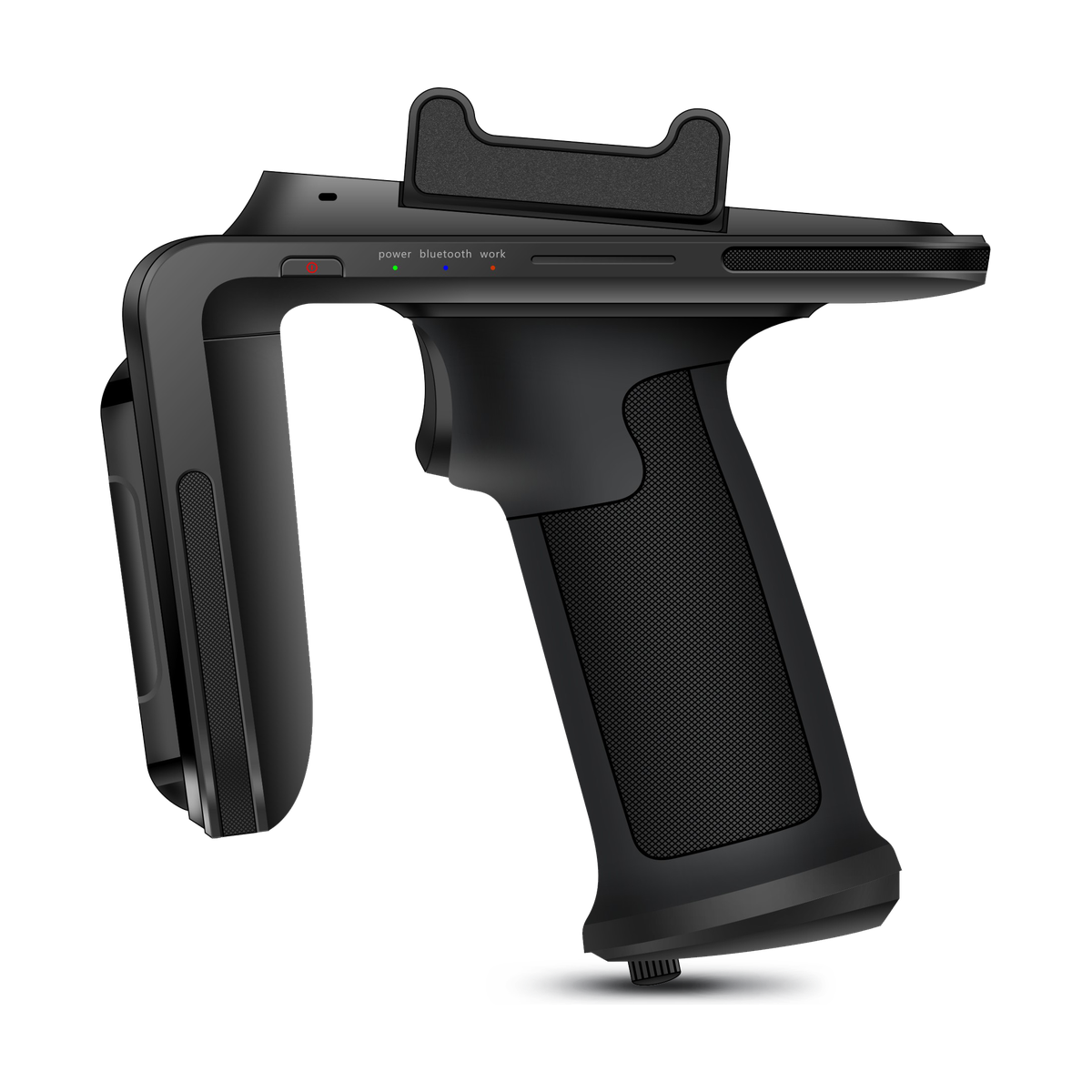
AIDC GO SX-32
- Device direction
- RFID sled
- UHF RFID
- UHF RFID with region-specific frequency configuration; adjustable 1–30 dBm output
- Barcode
- Optional 2D barcode scanner
- Wireless
- Bluetooth 5.0 BLE
| Model | Device direction | UHF RFID | Barcode | Wireless | Interfaces |
|---|---|---|---|---|---|
| AIDC GO SX-32 | RFID sled | UHF RFID with region-specific frequency configuration; adjustable 1–30 dBm output | Optional 2D barcode scanner | Bluetooth 5.0 BLE | USB-C |
WORKFLOW
Confirm the complete host-and-reader combination.
Physical fit, communication and application integration are separate questions. A matching connector or OS family alone is not evidence that a particular host-and-sled combination is ready for use.
- 01
Identify the host model, OS version, case and application that the project intends to retain.
- 02
Describe the proposed attachment and operating position, including access to controls, camera, ports and charging connections.
- 03
Specify the required connection and power roles for both devices; ask how the selected configuration supports that arrangement.
- 04
Request the applicable SDK/interface revision and evaluate the agreed combination with representative tags, task screens and reconnect conditions.
INTEGRATION DIRECTION
Keep the hardware decision connected to the system.
SX-32 lists Bluetooth 5.0 BLE and USB-C. State which connection the application needs and ask about the applicable data and power roles; neither listing alone proves compatibility with a particular host.
SX-32 lists Android/iOS SDK support. Request the package version, supported host/OS conditions and integration instructions for the proposed combination; this is not a claim that every Android or iOS device is supported.
The current fields list region-specific UHF configuration, a removable 5200 mAh battery and an optional 2D barcode scanner. Include country, charging arrangement and barcode needs in the enquiry rather than assuming the same options or accessories for every order.
SELECTION CONSIDERATIONS
Questions to close before configuration approval.
- 01
Host identity: send the model, OS version, application version and case or enclosure details. Request confirmation for that combination, not an unspecified phone family.
- 02
Attachment: ask for the proposed clamp or adapter, dimensions and fit conditions. Check reach to controls, screen visibility and handling without assuming a standard accessory list.
- 03
Connection and power: identify the intended data link and how each device will be powered or charged. Include whether connections must remain available while the assembly is mounted or in use.
- 04
Software and form factor: define the required events, commands and reconnect behaviour with the application team. Use the existing sled-versus-integrated guide if keeping the current host is not a firm requirement.
BUILD YOUR SX-32 ENQUIRY
Send one brief for the complete assembly.
Contact AIDC GO with the host model and OS, case dimensions, attachment preference, connection and charging needs, deployment country and application interface requirements. Ask for the corresponding SX-32 configuration, accessory details and SDK revision before arranging evaluation.