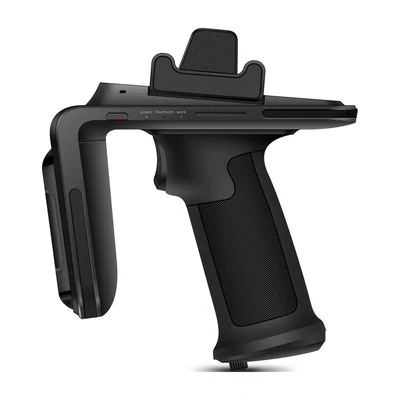
A UHF RFID sled is compatible with a host only when the quoted combination works: host model and OS build, mechanical adapter, reader variant and firmware, connection transport, application integration and charging arrangement. A successful Bluetooth pairing or a connector that fits proves only one part. Before ordering a fleet, make the supplier demonstrate a controlled tag read entering the correct business record, then repeat after disconnecting and reattaching the sled.
This question starts after the form-factor choice in the sled-versus-integrated-reader guide. It also differs from testing read range: an adequate RF read is useless to the buyer if the host app receives no event or attributes it to the wrong job.
Specify a configuration, not a generic compatibility claim
Ask for the exact host SKU, operating-system build and update policy; the sled SKU, regional RF configuration and firmware; the adapter or case part number; the communication path; the SDK and app versions; and the proposed cradle or charger. Separate these layers in the quote. A mechanically secure grip does not establish data compatibility, while a wireless connection does not establish a secure or usable carry arrangement.
For a sled proposal, identify the exact host, reader variant, attachment, connection and SDK. Direct attachment, Bluetooth and USB can require different software paths. A family name or USB-C connector does not establish that the host will recognize the reader.
For the AIDC GO SX-32 product options, the public configuration describes a UHF RFID sled with Bluetooth 5.0 BLE and USB-C, while host and application compatibility remain project-specific. Obtain the exact SX-32 host support, protocol or SDK materials, adapter, firmware and regional configuration from the supplier before specifying a production pairing. Do not convert the existence of a port or radio into a certified host matrix.
Trace one tag event through the host
Build an acceptance path with a known test tag and a known task. Confirm that the sled is powered, attached or paired to the named host, discoverable by the intended application, and configured for the deployment region. Then read the tag, preserve its complete returned identifier, and check that the application presents the event on the intended item or inventory task. A vendor demo app reading an EPC is useful diagnosis; it is not proof that the customer’s production app has received and accepted the event.
Editorial example, not a customer installation or measured performance test: A buyer proposes Host H with Sled S for two warehouse crews. The sample adapter holds S securely and a supplier utility displays tag T-01. The buyer’s app, however, still shows zero accepted events because it listens through a different reader transport. The next decision is to obtain an app build and SDK combination that actually discovers S, or to change the quoted host/sled combination. Increasing RF power will not repair this interface mismatch. Once T-01 appears in the intended job, disconnect and reconnect S, switch the app between jobs, and confirm that a delayed event is not posted to the previous job.
Keep transport, reader identity and business acceptance distinct. For USB, verify the exposed endpoint, permission and driver or SDK path. For Bluetooth, test pairing, application connection, reconnection and replacement of a previously paired host. Request any application changes needed for the selected transport.
Prove a full shift’s physical and recovery cycle
- Record exact part numbers and software versions. Fit the host with its real case, hand strap and adapter; test trigger reach, screen use, removal and reattachment with the intended operator gloves.
- Run a controlled tag set at the intended work position. Compare reader output, host app display and the committed backend record; note which component applies filtering or duplicate handling.
- Disconnect the wireless or cabled link during a task, then restore it. Identify whether the app reports an unconfirmed read, replays an event or silently drops it. Query the backend before retrying a transaction whose submission result is unclear.
- Charge the exact host-and-sled combination with the quoted cradle or cable and accessories fitted. Confirm that both batteries or power paths reach the required ready state; a charging indication on one component does not prove that the other is charged.
- Repeat after the planned OS, app or sled-firmware update in the pilot. Keep the tested versions in the acceptance record rather than treating a one-day pairing as a permanent compatibility guarantee.
If the adapter, host matrix, SDK documentation or regional RF option is not yet available, mark that configuration unverified. Request the specific evidence through AIDC GO Integration Support and discuss the sample evaluation. The guide helps qualify a purchase; it does not establish an SX-32 host, driver or application integration that has not been documented for the proposed build.
Sources and scope
Use the SX-32 product page for its listed interfaces and host requirements. Obtain versioned connection and SDK documentation for the exact host-reader combination, then test reconnection, event delivery and the application result. Related reference: SX-32 category.
Devices for this workflow