Short answer: Ask where each inspection happens. If the inspector walks to the machine or the pallet, use a tablet. If parts are brought to a bench with gauges on it, use a mounted panel PC. Many plants need both. Before choosing models, list how measurements get into the record, how the part or batch is identified, when a photo is required, and which operating system the quality software runs on.
Three inspection points
| Inspection point | Where it happens | What the device must do | Usual fit |
|---|---|---|---|
| Incoming goods | Receiving dock, at the pallet | Scan the delivery and batch, record sample results, photograph damage | Tablet |
| In-process patrol | At each machine, on a route | Open the right plan for the job, enter checks, raise a nonconformance | Tablet |
| Final inspection | A bench with gauges and fixtures | Take readings from several instruments, show drawings, print or release | Panel PC |
Our guide to choosing between a panel PC and a rugged tablet at a fixed workstation covers the general decision. This guide applies it to inspection.
Getting measurements into the record
Typing a reading from a gauge display is slow and is where transposed digits come from. Decide for each instrument how the value reaches the software:
- Gauges that act as a keyboard. Many digital calipers and micrometers send the reading over USB or Bluetooth as if it were typed. The cursor must be in the right field, so the inspection form should move to the next field by itself.
- Instruments with a serial output. Scales, torque testers and height gauges often use RS232. The RT-P15J lists two RS232 ports and four USB ports as standard, which suits a bench with several instruments. Our guide to serial connections for instrument data explains what to verify.
- Manual entry. Where a value must be typed, show the tolerance next to the field and flag out-of-range entries at once.
Record which gauge took the reading, so a gauge found out of calibration can be traced to the parts it measured.
Identify the part before the check
A correct measurement recorded against the wrong batch is worse than none. Scan the job, batch or serial label before the form opens. The RT-T19 lists a built-in 1D/2D barcode reader as standard. On the RT-I20A, a barcode reader is an option, so order it explicitly.
Test with your real labels, including small or laser-marked codes on parts if you use them.
Photos of defects
A nonconformance report is stronger with a photo taken at the machine. Agree what each photo must show and check that the camera focuses on small features. The RT-T19 lists a 13 MP rear camera with autofocus and flash. Our guide to linking photos to inspection records covers keeping the image attached to the right record.
The patrol tablet
A patrol inspector carries the tablet for a whole shift, often wearing gloves.
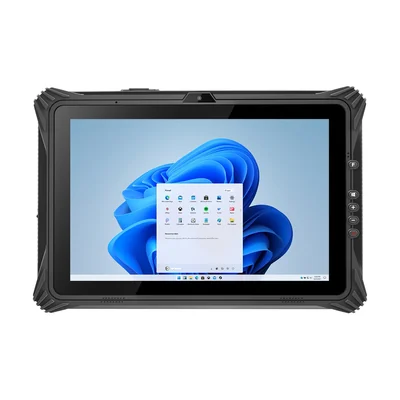
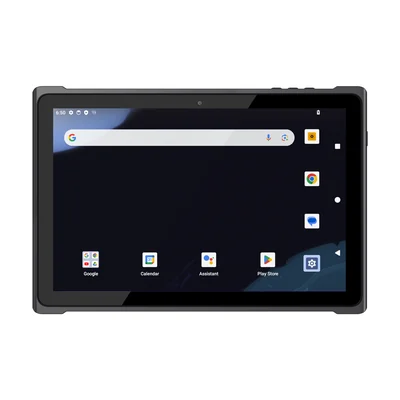
| RT-T19 | RT-I20A | |
|---|---|---|
| Operating system | Android 14 (GMS) | Windows 11 Pro |
| Screen | 10.1 in | 12.2 in |
| Weight | Approx. 650 g (bare unit) | Approx. 1,500 g (bare unit) |
| Barcode reader | Standard | Optional |
| Suits | Checklists, scans and photos on a route | Drawings, control plans and Windows quality software |
The RT-I20A lists stylus support, glove touch as an option and a hot-swappable battery. If inspectors wear gloves, order the glove-touch option and test it with the gloves used on your floor. Both tablets list IP65.
The inspection bench
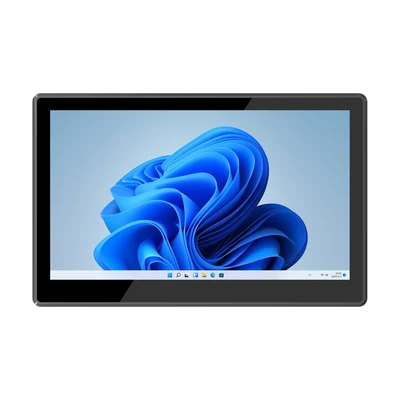
At a bench, the screen stays put and the instruments stay connected. The RT-P15J has a 15.6-inch 1920 × 1080 screen and lists embedded, desktop, wall and cantilever mounting. Its front panel is rated IP65; the rear is not, so read our guide to front panel IP65 on panel PCs if coolant or wash-down reaches the station.
The RT-P15J lists 220 nits, which suits indoor benches. Check it at the bench position if the station faces a window or bright task lighting.
Windows or Android
Statistical process control, measurement and ERP clients are often Windows applications, and bench stations usually follow them. Patrol checklists increasingly run in a browser or an Android app. Our guide to Windows or Android on an industrial panel PC covers the choice for fixed stations. Ask your quality software supplier which devices they support for each role before you standardise.
More shop-floor models are listed on our manufacturing page.
Pilot one line
Run one production line for two weeks with a patrol tablet and one bench station. Record:
- readings entered by gauge and readings typed;
- checks recorded against the wrong job or batch;
- nonconformances raised with and without a photo;
- time per patrol round;
- instrument connections that dropped at the bench.
What to send with your enquiry
Tell us the quality software and operating system, the inspection points you want to equip, the instruments and how each one outputs data, your label types, whether inspectors wear gloves, and how the bench station will be mounted. Send it through Contact, and we can suggest a configuration and arrange samples.
Devices for this workflow