Short answer: Start from the record, not the tablet. Write down who fills it in, where, in what weather and for how long. Then check four things on a pilot unit: touch input with wet or gloved hands, screen readability in your normal light, battery across a full day at that brightness, and whether the tablet can read the tags or sensors the record depends on. For positioning and mapping accuracy, plan separately.
Different farm records, different stress on the tablet
Most farm software asks for the same handful of things: a location, a time, a few fields, sometimes a photo. What changes is the setting in which staff fill them in.
| Record | Typical setting | What it stresses most |
|---|---|---|
| Crop scouting | Walking rows, often in full sun | Screen readability, camera, battery |
| Spray and fertiliser application | Cab or sprayer, gloved hands | Glove input, mounting, vehicle power |
| Irrigation checks | Wet ground, rain, mud | Water protection, wet-hand input |
| Livestock checks | Pens and races, dirty hands, animal tags | Wet-hand input, cleaning, tag reader |
If one tablet must cover all four, decide which record is used most often and which one fails first if the tablet is wrong. Choose for those two.
Input with wet or gloved hands
Rain, irrigation water and washing down in livestock areas all leave water on the screen. A capacitive screen that has not been tuned for this can register false touches or ignore taps.
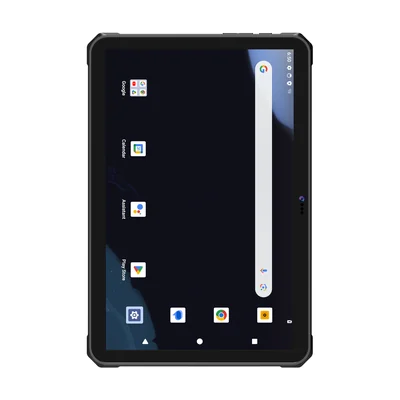
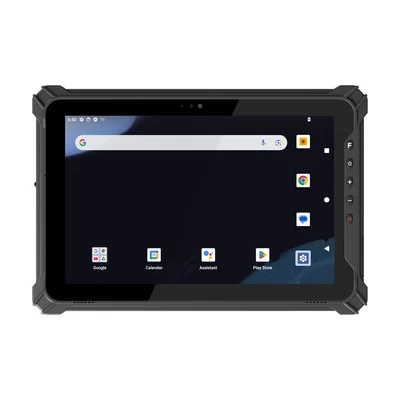
Some models state wet-hand and glove operation on the product page. The RT-OT1-MAX and the 8.68-inch RT-OT1 both list touch that works with wet hands and gloves. Where a product page does not state it, treat it as untested and check it on a sample.
Test with the gloves your staff actually wear and with a wet screen, using your real form. Small checkboxes and drop-down lists are the first to fail. If they do, larger form controls in the app often help more than a different tablet.
Water and dust protection
IP65 means protection against dust and water jets; IP68 means protection against continuous immersion under conditions the manufacturer specifies. For rain, hosing down and dusty cabs, IP65 is usually the starting point. IP68 is worth asking for if tablets are likely to end up in a water trough, a ditch or a flooded field.
The RT-OT1 and RT-OT1-MAX list IP68. The RT-T17X lists IP65. A rating describes a test, not every farm condition, so read the test details as described in our guide to IP ratings and drop test reports. Also ask which port covers must be closed for the rating to apply.
Screen readability against water protection
Brightness and water protection do not always come in the same model, so decide which matters more for your main record.
| Model | Brightness (product page) | Protection | Wet / glove touch on product page |
|---|---|---|---|
| RT-OT1 | 400 nits | IP68 | Yes |
| RT-OT1-MAX | 320 nits | IP68 | Yes |
| RT-T17X | 700 nits | IP65 | Not stated |
If scouting in open sun is the main task, test the brighter screen first. If the record is filled in at a pen or a pump in wet conditions, wet-hand input and IP68 may matter more than brightness. Check both on the same form outdoors, at the times of day your staff work.
Battery for a full day away from power
A scouting round or a day of livestock checks may be far from a charger. Battery capacity on a datasheet is a starting point; runtime depends on brightness, cellular signal and how often the GNSS and camera are used. Our guide to planning battery life at working brightness explains how to test it.
Two approaches work:
- Large built-in battery: the RT-OT1-MAX lists a 10,000 mAh built-in battery. Charge it in the vehicle or overnight.
- Removable battery: the RT-T17X lists a removable 10,000 mAh battery, with spare batteries and a charging dock as options. Staff swap batteries rather than stopping work.
If tablets ride in a tractor or utility vehicle between tasks, ask about the vehicle bracket and in-cab charging for the model you choose.
Location: when the built-in GNSS is enough
For recording which field, block or pen a record belongs to, the GNSS built into a rugged tablet is usually enough. Mapping boundaries, drainage or trial plots to centimetre level is a different requirement that needs a correction service and a coordinate reference.
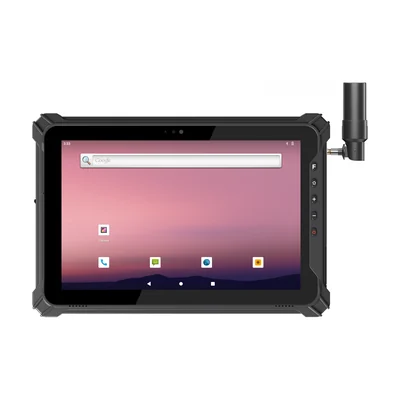
The RT-T17X-RTK has integrated RTK for that work. Our guide to GNSS, DGNSS and RTK for field mapping covers the correction setup to plan before you order.
Livestock tags: check the frequency first
Electronic animal identification tags are commonly low-frequency tags at 134.2 kHz, under ISO 11784 and ISO 11785. The NFC reader in a tablet works at 13.56 MHz and does not read them.
Most livestock teams pair the tablet with a separate animal tag reader over Bluetooth, then check that the farm app accepts the tag number from that reader. Our guide to LF RFID at 125 kHz and 134.2 kHz explains the difference. The tablet's NFC remains useful for staff badges or HF asset tags.
Cleaning in livestock and spray areas
Tablets used around animals, manure, fertiliser or crop protection products need regular cleaning. Agree which cleaning agents are allowed, and check them against the device supplier's guidance before rollout. Our guide to cleaning shared rugged devices covers the routine.
Android or Windows
Most farm record and scouting apps run on Android, and Android tablets are usually lighter for walking rounds. Our Android rugged tablet guide covers app distribution and management. If the farm office uses Windows mapping or record software in the field, a Windows 2-in-1 such as the RT-I22J lets you run it with a keyboard in the cab.
More models for these tasks are listed on our agriculture and surveying page.
Run a pilot before you order
Give two or three tablets to the people who fill in the main record, for one normal week. Ask them to note:
- forms that failed with wet or gloved hands;
- times the screen was hard to read;
- the battery level at the end of each day;
- whether tags, photos and locations reached the farm system.
What to send with your enquiry
Tell us which records the tablets will handle, the farm app and operating system, the gloves and weather conditions, how long staff are away from power, and whether you need RTK or an animal tag reader. Send them through Contact and we can suggest a configuration and arrange samples.
References
- ISO 11784: Radio frequency identification of animals — Code structure
- ISO 11785: Radio frequency identification of animals — Technical concept
- IEC 60529: Degrees of protection provided by enclosures (IP Code)
Devices for this workflow