Short answer: Treat the brightness rating as a maximum and any runtime figure as a result under stated test conditions. Measure runtime on a sample at the brightness and workload your team will use, then cover the gap with spare batteries, a hot-swap battery, a dock or vehicle power. Decide the power arrangement before you decide the fleet size.
Read brightness and runtime as two separate claims
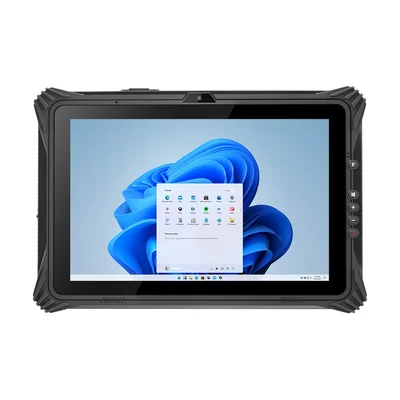
A tablet listed at 1,000 nits can reach that level; it does not run there all day without cost. A runtime figure, where one is given, is measured under conditions the supplier chooses. For example, the RT-I61J lists about 6 hours of 1080p video playback at 50% volume and 50% screen brightness. That is a useful comparison point, but it is not a field shift at full brightness with GNSS, cellular data and a scanner running.
When a runtime figure has no stated conditions, ask for them. When it has none at all, plan to measure it.
Measure the shift you will actually run
On a sample, set the brightness your team will use outdoors, run the real application and record how long the battery lasts. Include what your work adds:
- Screen brightness and timeout, set as they will be in the field.
- Radios in use: Wi-Fi or cellular data, GNSS and Bluetooth peripherals.
- Data capture: scanning, camera use and photo uploads at your real rate.
- Temperature: run at least one test in the coldest or hottest conditions you expect.
- Battery age: a new battery is the best case. Leave a margin for capacity loss over the fleet's life.
Use the result, not the specification sheet, to decide whether one battery covers the shift.
Choose how to cover the gap
| Question to answer | Spare removable batteries | Hot-swap battery | Dock or vehicle power |
|---|---|---|---|
| Does the device keep running during a change? | Only if the device has an internal bridge battery; otherwise it shuts down. | Yes, if hot-swap is listed for that model. Test your application through a swap. | Not applicable while docked or powered. |
| What extra equipment is needed? | Spare batteries and a multi-bay charger. | Spare batteries and a charger. | A dock, cradle or vehicle power connection. |
| What has to be planned? | Who charges spares, and when. | The same, plus a swap procedure. | Where the device sits, and how long it runs when undocked. |
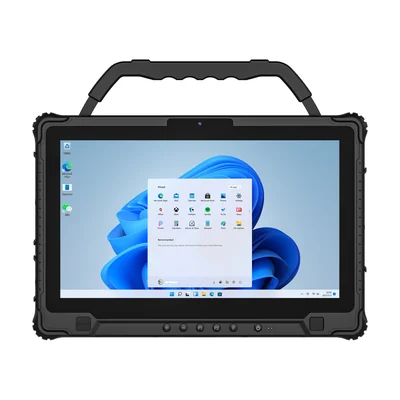
Several rugged tablets combine a removable battery with a small built-in one. The RT-I14M, a 14-inch Windows tablet listed at 1,000 nits, has a removable 11.4 V / 4,700 mAh battery and a built-in 11.1 V / 1,300 mAh battery. The RT-I20J, a 12.2-inch tablet listed at 650 nits, has a removable 6,300 mAh battery listed as hot-swappable, with an optional four-bay charger. Our guide to hot-swappable batteries explains how to test that the task survives the swap.
When the work is in a vehicle, power the screen from the vehicle
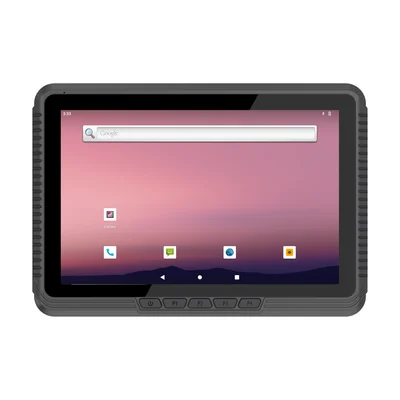
If the tablet spends the shift in a cab, vehicle power removes most of the trade-off. The RT-V10T is a 10.1-inch Android vehicle tablet listed at 1,000 nits with a 12 V input, and an optional built-in 2,000 mAh battery for short periods without power. Note that its listed operating range is narrower with the battery fitted (−10 °C to 60 °C) than without it (−20 °C to 60 °C). Check the battery's temperature range against your coldest site.
Do not buy brightness you cannot read
Brightness is only one part of readability. Reflections, viewing angle and the application's colours matter as well. Our guide to outdoor screen readability covers how to test the actual form in sunlight, and our sunlight-readable displays page lists models by brightness.
What to send with your enquiry
Tell us the shift length, where the work happens (in the open, in a vehicle or at a dock), the application and peripherals, and the temperature range. Send it through Contact and we can propose a tablet, battery and charging arrangement for the shift.
Devices for this workflow