HX SERIES / PRODUCT FAMILY
Rugged handheld terminals for barcode-led work.
Shortlist an HX handheld around the complete task: scanning, quantity correction, exception selection and confirmation. Use the existing model fields below to identify a candidate, then take the unresolved configuration questions into a sample evaluation.
PROJECT FIT
Where this product direction belongs.
Receiving and picking: identify the labels, working position and expected scan output before comparing the barcode configuration field.
Repeated quantity entry: compare the model input description with the gloves, one-handed actions and correction steps used on the job.
Application-led tasks: review display, memory and interface fields against the actual screens, host requirements and data path.
CURRENT AIDC GO PRODUCTS
Compare handheld configurations.
Compare the listed specifications, then confirm the options available for your model and deployment country.
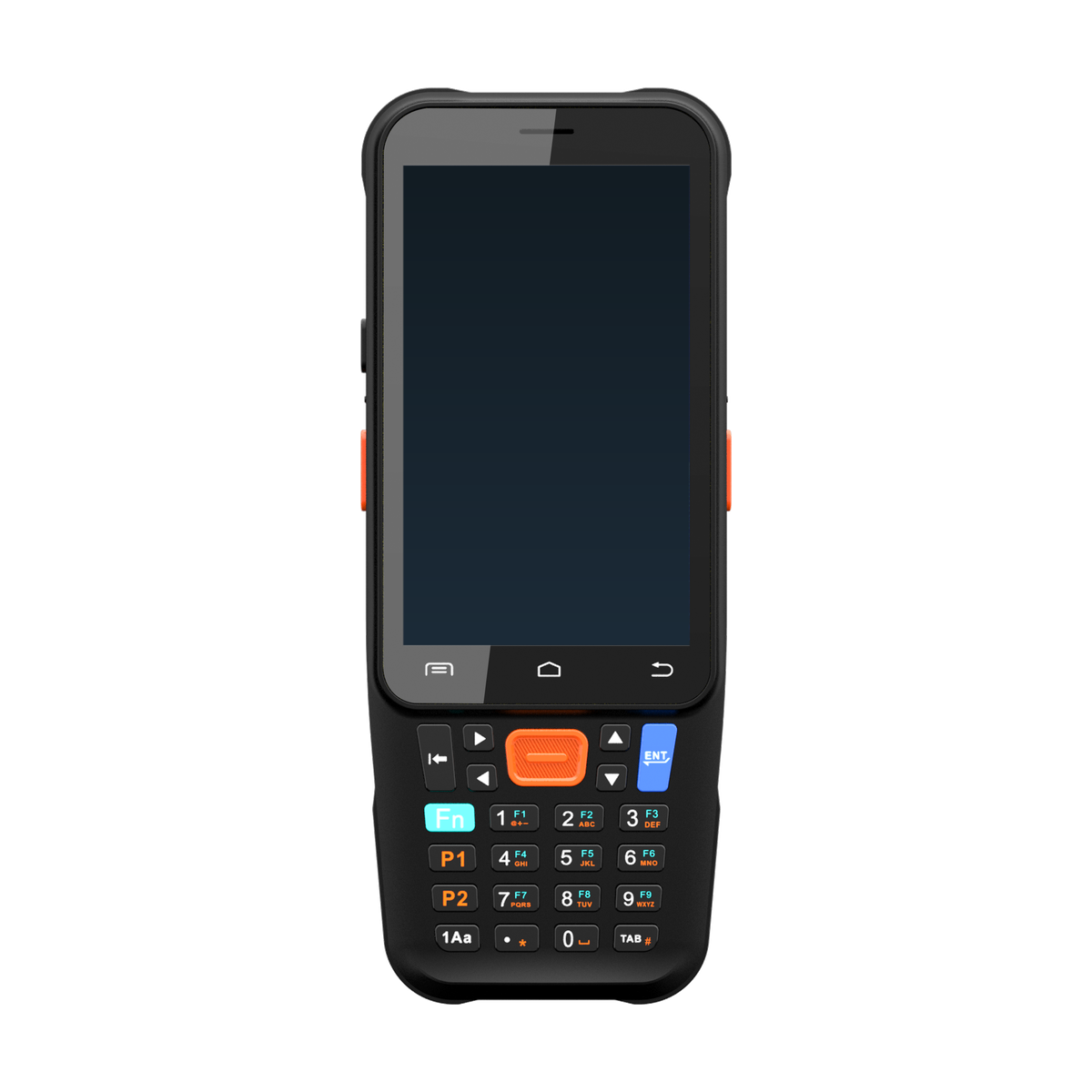
AIDC GO HX-21
- Device direction
- Keyboard barcode handheld
- Display
- 4 in IPS
- Barcode
- 1D/2D barcode scanning; engine configuration dependent
- Memory
- 4 GB RAM / 64 GB storage
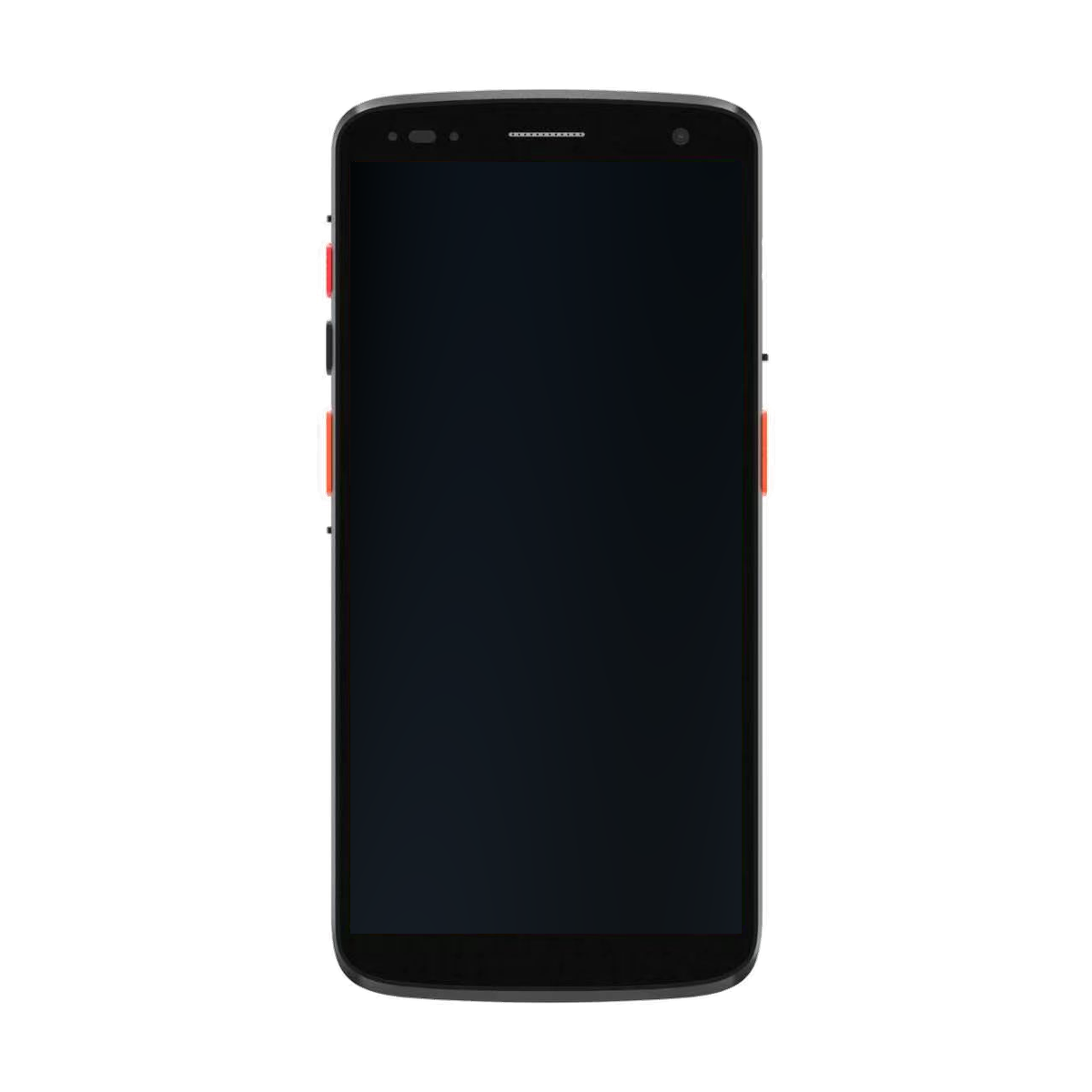
AIDC GO HX-24
- Device direction
- Touchscreen barcode handheld
- Display
- 6 in FHD, 1080 × 2160
- Barcode
- 1D/2D barcode scanning
- Memory
- 4 GB RAM / 64 GB storage
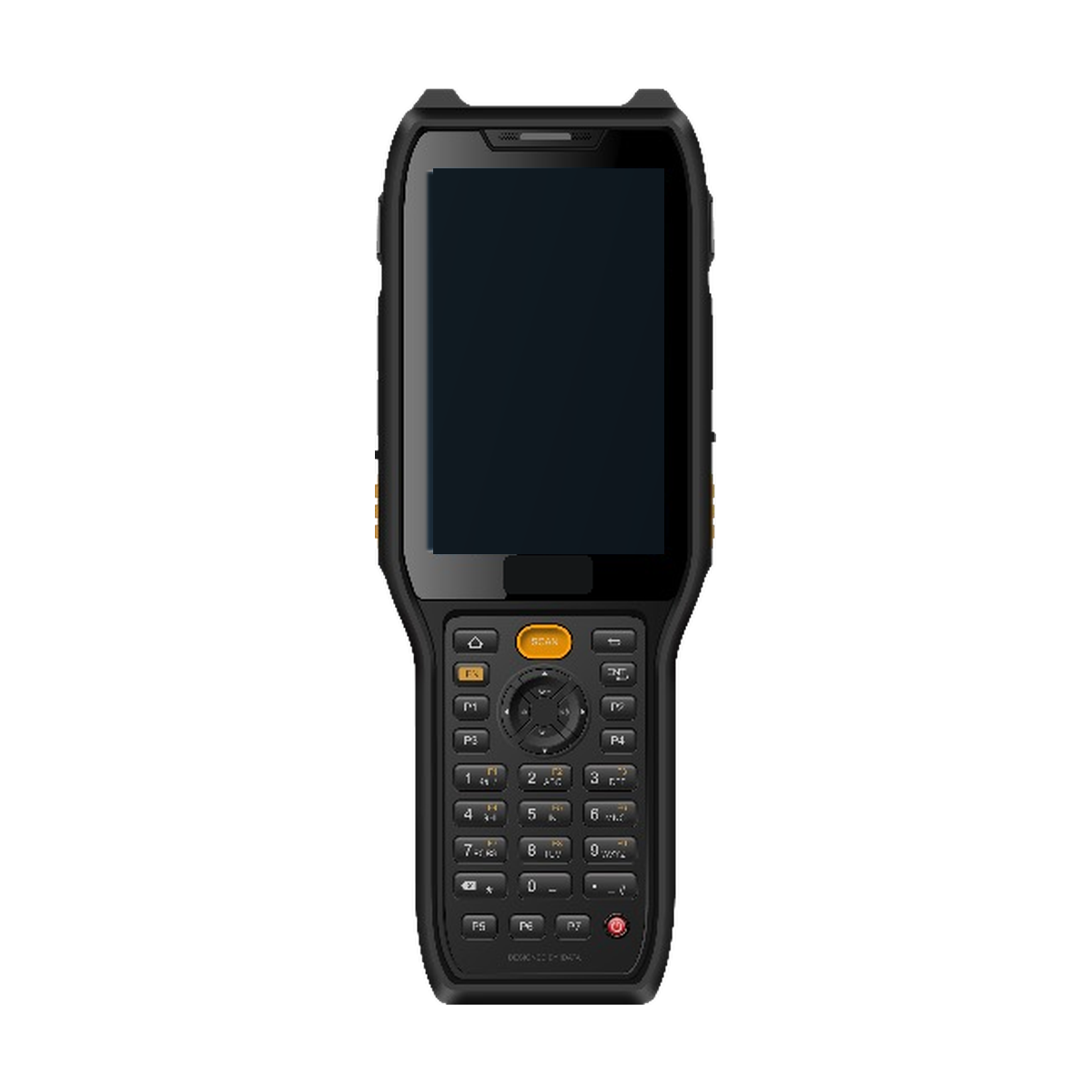
AIDC GO HX-27
- Device direction
- Keypad barcode handheld
- Display
- 4 in IPS, 800 × 480
- Barcode
- 1D/2D barcode scanning
- Memory
- 4 GB RAM / 64 GB storage
| Model | Device direction | Display | Barcode | Memory | Interfaces |
|---|---|---|---|---|---|
| AIDC GO HX-21 | Keyboard barcode handheld | 4 in IPS | 1D/2D barcode scanning; engine configuration dependent | 4 GB RAM / 64 GB storage | USB-C; SIM; microSD up to 256 GB |
| AIDC GO HX-24 | Touchscreen barcode handheld | 6 in FHD, 1080 × 2160 | 1D/2D barcode scanning | 4 GB RAM / 64 GB storage | USB-C; SIM; microSD up to 256 GB |
| AIDC GO HX-27 | Keypad barcode handheld | 4 in IPS, 800 × 480 | 1D/2D barcode scanning | 4 GB RAM / 64 GB storage | USB-C, OTG, dual Nano-SIM, microSD up to 512 GB |
WORKFLOW
Connect capture, feedback and application state.
The device captures a value or event. The customer application owns validation, permissions, business rules and reconciliation.
- 01
Identify the item, location or document to capture.
- 02
Trigger and confirm the barcode scan at the point of work.
- 03
Pass the captured value to the customer application for validation.
- 04
Handle exceptions and synchronize the approved workflow record.
INTEGRATION DIRECTION
Keep the hardware decision connected to the system.
Bring labelled samples and the proposed barcode configuration into the evaluation; a successful demonstration does not establish barcode quality or full workflow acceptance.
For a wired peripheral or network-dependent task, identify the connection, power role and deployment country; ask which listed interface and regional options apply to the quoted configuration.
Send the model shortlist, datasheet revision, application and OS requirements, and unresolved interface questions through the project enquiry. Confirm the applicable materials before selecting samples.
SELECTION CONSIDERATIONS
Questions to close before configuration approval.
- 01
Input: record scan, correction and confirmation actions with the intended gloves; compare physical-key, keypad or touch-led interaction without assuming every option is offered on every model.
- 02
Capture: tie the barcode field to identified label samples and presentation conditions; request the exact capture option when the public field does not settle the choice.
- 03
Application: use display and memory fields to screen candidates, then check the actual screens and required application configuration. A specification match alone is not application acceptance.
- 04
Connections: carry the required peripherals, charging arrangement, network and market into the shortlist. Use the existing model pages and their datasheets as the reference for configuration questions.
FACT BOUNDARY
Configuration remains project specific.
This page uses the approved AIDC GO catalogue, approved public specification fields and published workflow guidance. It does not claim universal performance, certification, availability, customer results or compatibility. Confirm the exact configuration, region, accessories and workflow before selection.