Short answer: Snagging is a cycle, not a photo. An inspector finds a defect, pins it to the drawing, assigns it, and later re-inspects and closes it. Choose the tablet for the person who walks the building: a screen large enough to place a pin on the right door, a pen if they mark up drawings, a camera that works in unlit rooms, protection against dust and rain, and a battery plan for a full day of walking. Decide on Windows or Android from the site software, then test one real floor before you order.
The cycle the tablet has to support
| Step | What happens on site | What it needs from the tablet |
|---|---|---|
| Find and record | Inspector marks the location on the drawing, adds a photo and a note | Readable drawing, accurate touch or pen, camera with flash |
| Assign | Item goes to the responsible trade with a due date | Connection, or a queue that sends later |
| Fix | The trade marks the work as done, often with a photo | Often a phone; not always your tablet |
| Re-inspect | Inspector returns to the same spot and compares | Finding the item again quickly, before-and-after photos |
| Close | Item is accepted or reopened | A clear record of who closed it and when |
Most snagging tools cover these steps. The tablet decides how fast the first and fourth steps go, and those are the ones done on foot.
Screen size: the drawing decides
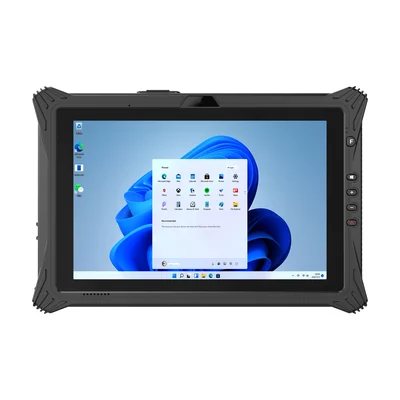
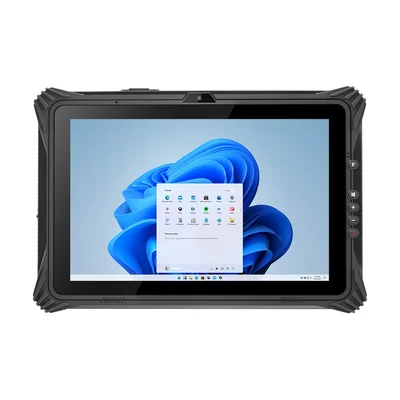
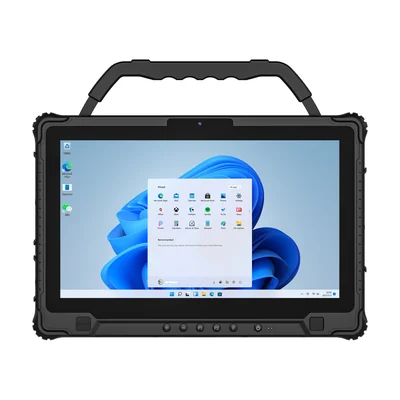
On a small screen, an inspector zooms and pans constantly, and pins land on the wrong room. On a large one, the tablet is heavy by mid-afternoon. Three sizes on our Windows tablets show the trade-off:
Open your most detailed floor plan on a sample and try to pin a defect to one door among twenty. That test tells you more than the screen size on a datasheet. Our guide to construction drawings on rugged tablets covers revisions and offline access, which snagging depends on.
Pen or finger
Tapping a pin and choosing from a list works with a finger. Circling a crack, sketching a correction or signing an acceptance works better with a pen. The RT-I10A lists stylus support by default, and the RT-I20J lists an active stylus as an option. Our guide to pens and digitizers on rugged tablets explains what to test before you rely on one.
Inspectors often wear gloves. The RT-I14M lists glove touch. Where a product page does not state it, test with the gloves your teams wear.
Photos in unfinished rooms
Snag photos are taken in rooms with no lighting, in risers and above ceilings. Check that the camera focuses close up and that the flash lights the defect rather than washing it out. Agree a rule for each item, such as one wide photo to show where it is and one close photo to show what it is. Our guide to linking photos to inspection records covers keeping each photo with its item.
Dust, rain and concrete
A site tablet meets cement dust, rain on open floors and the occasional fall onto concrete. All three models list IP65. Read what the rating and the drop test actually cover in our guide to IP ratings and drop test reports, and ask which port covers must be closed.
Carrying matters as much as protection. The RT-I10A and RT-I20J list a strap and a handle as standard, and the RT-I14M lists a hard handle. An inspector climbing a ladder needs both hands, so ask about a shoulder strap as well.
A full day on one charge, or a swap
A snagging walk keeps the screen bright and the camera busy for hours. The RT-I20J lists a removable battery with hot-swap, so an inspector can change it without closing the app. The RT-I10A and RT-I14M list removable batteries. Our guide to battery life at working brightness explains how to test a full day and decide how many spares to keep in the site office.
No signal in the basement
Basements, cores and upper floors under construction often have no coverage. The snagging app should let the inspector record items offline and send them later, with drawings loaded in advance. Test this by switching the tablet to airplane mode on a real floor, recording ten items and checking that all ten arrive, once, with their photos.
Windows or Android
If the project uses Windows software for drawings, models or reporting, a Windows tablet keeps one set of tools from the office to the site; our Windows rugged tablet guide lists the options and editions. Many snagging apps also run on Android, and some trades will use their own phones for the fix step. Confirm with your software supplier which devices are supported for the inspector role.
Pilot one floor
Give two inspectors different screen sizes for one floor or one apartment block. Record:
- items recorded per hour;
- pins placed in the wrong location;
- photos that had to be retaken;
- items that failed to sync;
- battery level at the end of the walk;
- which tablet each inspector chose to carry on the second day.
What to send with your enquiry
Tell us the snagging or site management application and operating system, a sample drawing, whether inspectors use a pen, how long a walk lasts, and the number of inspectors. Send it through Contact, and we can suggest a configuration and arrange samples.
Devices for this workflow