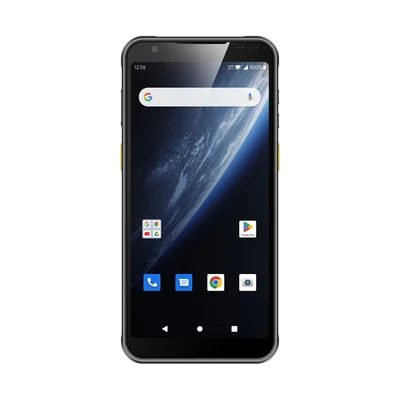
Barcode data commonly reaches an application through configured keyboard input, a documented Android intent or message interface, or a vendor-specific SDK or API. Each path changes how the application receives events, how much scanner-specific development is required and what must be tested. There is no universally correct method. The appropriate approach depends on the target application, required controls, exception handling and the capabilities confirmed for the exact device, configuration and software version.
Who this guide is for
This guide is for system integrators, software companies, WMS and ERP teams, AIDC solution providers and technical project owners deciding how barcode data should enter an application. It supports an integration decision before or during device evaluation; it does not declare one method universally better.
This is a vendor-neutral comparison. It does not state that any specific AIDC GO model provides keyboard output, intents, an SDK, an API or a particular management capability. Confirm every required interface for the exact model, configuration, region, operating-system build and application version under evaluation.
Start with the operating task in the mobile barcode data capture approach. Define the real symbol, label and working conditions with the barcode label and scanner selection basics before choosing a software path.
Three integration paths to evaluate
Keyboard-wedge or keyboard-input delivery
In a keyboard-input path, a configured scanner service sends decoded characters as keystrokes to the active input target. The application may receive the value without a scanner-specific library, but it still needs correct focus, parsing, validation and user-feedback behavior.
The application usually receives a character sequence rather than a scanner event with a guaranteed set of metadata. Prefixes, suffixes and terminators depend on the available configuration. Treat Tab and Enter as application actions, not harmless decoration: Enter may submit the current form, while Tab may move focus before the application validates the scanned value. In a representative screen, record the decoded characters, the exact terminator, the field that has focus before the scan and the field or action reached afterward. Test a valid value, a rejected value and a scan while the wrong field is active. Plain keystrokes also may not inherently distinguish scanner input from manual typing.
Intent or message-based delivery
Where a device exposes a documented Android intent or message interface, a scan event may be delivered to an application component instead of being typed into a focused field. The payload may contain the decoded value and additional fields, but available data and delivery behavior are implementation-specific.
The team must confirm the documented action, payload, registration method, target component and lifecycle conditions. Foreground, background, locked-screen and restarted-process behavior must be tested rather than inferred from another device or Android version.
SDK or API integration
Where a vendor provides a documented SDK or API for the selected configuration, application code may receive decode events and use supported scanner controls directly. The exact functions, metadata and status information are limited to what that implementation exposes.
This path creates dependencies on interface versions, the operating-system build, device software and maintenance arrangements. It may provide more application-level control, but it is not automatically more reliable, secure or suitable.
Comparing the three paths
| Decision factor | Keyboard input | Intent or message | SDK or API |
|---|---|---|---|
| Application work | Keyboard input: May avoid a scanner-specific library; focus, parsing, validation and feedback are still required. | Intent or message: The application must receive and process the documented message. | SDK or API: Development is required against the documented library or interface. |
| Delivery target | Keyboard input: Usually the active input field or element. | Intent or message: A registered component, subject to documented delivery and lifecycle rules. | SDK or API: Application code receiving exposed callbacks, events or results. |
| Dependence on text-field focus | Keyboard input: Usually high. | Intent or message: May be reduced; confirm actual behavior. | SDK or API: May be avoided for data delivery; application-state requirements still apply. |
| Metadata and controls | Keyboard input: Often limited to characters and configured output formatting. | Intent or message: Additional payload fields may be available if documented. | SDK or API: Additional events and controls may be available if documented. |
| Error and duplicate handling | Keyboard input: The application owns business validation; incorrect focus can create input errors. | Intent or message: The application validates payloads, delivery state and repeated events. | SDK or API: The application handles documented errors, repeated events and interface state. |
| Main dependencies | Keyboard input: Output configuration, field focus, field behavior and terminators. | Intent or message: Vendor interface, registration, permissions, OS behavior and application lifecycle. | SDK or API: Interface version, OS/device software compatibility, documentation and support lifecycle. |
| Acceptance evidence | Keyboard input: Correct field, format, terminator, manual-entry behavior and feedback. | Intent or message: Correct payload, required lifecycle states, recovery and feedback. | SDK or API: Required functions, initialization, recovery, compatibility and feedback. |
Buying handhelds for a browser-based business application
Before buying a handheld for a web application, name the software that will actually receive the scan. A web address does not identify that component. The proposal might use an ordinary browser with keyboard input, a vendor web client with documented device interfaces, or a native application containing web screens and a maintained scanner bridge. These arrangements can present the same business page while requiring different configuration, development and support.
A text field and a scan callback are different requirements
If the job is to place a value in a controlled field, keyboard delivery may be sufficient. Confirm the browser version, page behaviour and terminator settings together. If the job needs a scan event independently of field focus, or documented scanner metadata or controls, ask which component provides that interface to the page. Enabling Android intent output alone does not establish a JavaScript receiver in an arbitrary website.
Android’s intent documentation describes communication with application components. Keep browser DOM events, Android key events and structured application messages separate in the input design. Test the fields actually exposed by the chosen browser and capture interface. Related reference: intent documentation.
For a web client that receives native capture events, document the required receiver, bridge, JavaScript module and device/software versions. Test the exact deployed client and permission path. A working example on another stack is not a deployment recipe for every Android browser.
Compare the delivered software arrangement, not the browser label
| Proposed arrangement | Decision condition | What the proposal must identify |
|---|---|---|
| Ordinary browser with keyboard delivery | Decision condition: The page can keep the intended field active and handle the actual character sequence and terminator. | Proposal: Supported browser and OS builds, capture configuration, page changes and the owner of focus or formatting defects. |
| Vendor web client | Decision condition: A documented interface meets a requirement that ordinary text input does not. | Proposal: Exact client and device compatibility, page API, deployed profiles and configuration, licence terms if applicable, and update responsibility. |
| Native application with web screens | Decision condition: The project will maintain an application component that connects the scanner interface to its web UI. | Proposal: Bridge contract, supported runtime, package delivery, application maintenance and who verifies device-software changes. |
These are procurement alternatives, not a ranking or a requirement to buy a proprietary browser. Ask the application owner whether the existing page needs modification before seeking hardware prices. Do not include a licence, development task or maintenance service in a device quote by assumption; obtain the applicable supplier terms and separate unresolved work.
Resolve one real screen before committing the fleet
Consider a hypothetical receiving screen with a document field, an item field and a quantity correction. If scanning should simply fill the selected item field, evaluate that exact sequence in the proposed ordinary browser. If scanning must identify an item while the quantity control has focus, require the proposed client or bridge to show how the event reaches the correct application state. An event reaching JavaScript still does not establish business acceptance.
For a proposed evaluation, use the same page and labels on each shortlisted arrangement. Observe a normal scan, a scan while the quantity control is active, and the first scan after returning from another screen. Record which component received the value, what the page did and the business result. This is a comparison method, not a completed test or a throughput promise. Keep interrupted transactions within the offline receipt recovery contract rather than assigning that responsibility to the browser name.
Bring the application URL or sanitised screen, required input behaviour, proposed client and supported versions to Integration & Support. Use the handheld terminals category to discuss a hardware selection, then request confirmation for the exact configuration. The application and software suppliers should identify their own development, licensing and maintenance scope before the buyer treats the arrangement as a complete quotation.
When keyboard input may be appropriate
Keyboard input may be practical when the target application already accepts text in a controlled field and does not require scanner-specific metadata or controls. It may also help evaluate a legacy form or browser-based workflow without first adding a vendor library.
Test what happens when focus is missing, moves to the wrong field or changes after a screen transition. Confirm prefixes, suffixes and terminators. Check whether manual and scanner input remain understandable to the application and operator.
Keyboard delivery is not proof that no application work is required. The receiving system must still parse the value, validate it for the current task, reject invalid or duplicate input and show whether the business action was accepted.
When intent or message delivery may deserve evaluation
Intent or message delivery may deserve evaluation when the application needs scan events separately from ordinary text entry, less dependence on field focus or additional documented payload information. It requires a development team that can implement and maintain the receiver and lifecycle handling.
Confirm the action, category, package or component targeting, payload fields, permissions and registration method. Define what should happen after an app switch, screen lock, activity recreation, process restart or software update.
Background delivery is not a generic guarantee. Android behavior, application lifecycle and vendor implementation can affect when and how a message is received. Test the states the project actually requires and record the exact software versions.
When an SDK or API may be required
An SDK or API may be required when the application needs documented controls or event information unavailable through the other paths. Possible evaluation needs include programmatic trigger control, documented configuration access, decode-event handling or status reporting—but only when the specified interface explicitly exposes the required function.
Before committing, confirm supported device and OS combinations, interface version, documentation, sample code, licensing, update process and support boundary. Identify who owns upgrades when device software or the customer application changes, and define a fallback if the required interface cannot be maintained.
Separate local decoding from offline licence readiness
For a deployment without regular network access, identify what the proposed SDK actually does. A device SDK that delivers results from a scan engine and a software library that decodes camera images are not interchangeable products. Establish where decoding runs, then separately establish how that component is activated and kept authorised. A successful scan with the network disconnected does not establish that a newly provisioned device, or the same device after a longer disconnected period, can initialise and continue using the purchased licence.
Dynamsoft Barcode Reader is a named software example, not an AIDC GO device capability. Its purchasing FAQ describes hosted and internal licence-server arrangements and an offline option requiring discussion with the supplier. Its Dynamsoft License Server documentation, under Per Client Device, ties offline operation to the local licence’s active period. These conditions concern the documented product and licence option, not every scanner SDK. Obtain the terms applicable to the proposed edition and deployment rather than borrowing an offline allowance from another option or a trial.
Consider two illustrative offers for the same disconnected work area. Both demonstrate local barcode decoding, but one assumes access to a licensing service and the other includes a supplier-confirmed arrangement suitable for the site’s allowed connectivity. They are not equivalent delivered scopes until activation, any required reauthorisation or usage reporting, and responsibility for an internal licensing service are identified. If the selected component has no such network dependency, do not add a licence server or a paid offline option by default. Compare the delivered application and permitted disconnected interval, not just the hardware price or an “offline supported” label.
Ask the software owner to demonstrate first use and restart under the specified network policy, and to explain the documented behaviour when any licence validity condition is no longer met. Use a permitted test arrangement; do not bypass licensing or change a production device’s clock. Keep this evidence separate from offline transaction recovery: a licensed decoder does not establish that the application saved a pending operation or that the backend accepted it. The example does not establish that AIDC GO supplies the software, its licences or a compatible device configuration.
A successful decode is not a successful transaction
A decoded barcode means the capture layer produced a value. It does not mean the value belongs to the expected item, matches the required format, is permitted for the current user or has been committed by the system of record.
Keep these states separate:
- The device reports a decode.
- The application receives the value or event.
- The application validates format, identity, permissions and workflow context.
- The backend accepts or rejects the transaction.
- The operator receives a clear final state.
A beep, vibration or callback should not be presented as business acceptance unless the application has received and represented that result correctly.
Where application and integration responsibility begins
The customer application owns business validation, permissions, authoritative workflow state and transaction acceptance. An integration layer may own mapping, queuing, retries or transport. The selected delivery method does not supply those business rules.
Define accepted, rejected, duplicate, uncertain and interrupted states. Decide whether manual entry is allowed, how queued work is reconciled and what the operator sees while the backend is unavailable. Assign each state to a component and owner.
A practical pilot checklist
Use the exact candidate configuration and a recorded application build. Include:
- Representative normal, marginal and rejected labels.
- Valid, invalid and malformed values with expected responses.
- Deliberate duplicate scans and repeated trigger actions.
- Manual entry where the workflow permits it.
- Wrong-field and missing-focus conditions for keyboard input.
- Required foreground, background and lifecycle states for message delivery.
- Initialization, error and recovery behavior for a documented SDK or API.
- Network interruption after capture but before backend acceptance.
- Reconnection, retry and reconciliation.
- Visible feedback for decode, validation, rejection and committed transaction states.
- Device configuration, OS build, application version and interface version in the evidence record.
Use the AIDC device integration checklist to assign system boundaries, then use the AIDC pilot validation checklist to define representative evidence and acceptance conditions.
Common mistakes to avoid
- Assuming behavior is identical across devices or software versions.
- Choosing an SDK before confirming the required functions.
- Treating keyboard input as development-free while ignoring focus and validation.
- Assuming a message will arrive in every application lifecycle state.
- Treating decode feedback as proof of transaction acceptance.
- Testing only clean labels and successful values.
- Omitting duplicates, interruption, recovery and operator correction.
- Failing to record the configuration and versions behind a result.
Frequently asked questions
Can one device support all three integration paths?
Possibly, but this must be confirmed for the exact device, configuration and software version. Do not infer one interface from the presence of another.
Is SDK integration always better than keyboard input?
No. An SDK may expose more documented controls, but it also adds development and lifecycle dependencies. The appropriate path depends on what the application needs.
Does intent-based delivery always work when the app is in the background?
No universal background behavior should be assumed. Confirm the interface, Android behavior, receiver registration and required application states, then test them directly.
Who rejects an invalid or duplicate scan?
The customer application owns business validation and duplicate rules. The device or delivery method may provide a captured value or event, but it does not determine whether the transaction is valid.
What should be confirmed before choosing an integration path?
Confirm the device configuration, operating-system build, documented interfaces, required functions, lifecycle states and support expectations. Validate the complete capture-to-transaction path with representative evidence.
Methodology and limitations
This guide provides a requirements and evaluation framework for rugged handheld barcode integration. It does not represent the specifications or confirmed capabilities of a particular AIDC GO model and does not provide a compatibility guarantee.
Use published model information and specified technical documentation to confirm available interfaces. Treat any omitted SDK, API, intent, management or lifecycle capability as unconfirmed until verified for the project.
Bring the integration boundary to the discussion
Bring the target application, required data path, application states, representative labels and unresolved interface questions. AIDC GO can support hardware selection evaluation while your software team retains ownership of application logic and final acceptance. Review the available product options or discuss your application.
Devices for this workflow