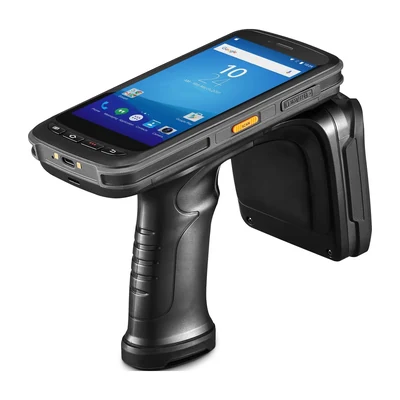
Short answer: An AIDC integration brief should define the captured identifier, its data format, the application response and the operator’s next action. Add connectivity, duplicate handling and recovery before selecting a model. Use the brief to compare documented device interfaces with the actual software workflow.
Define one complete application event
Name the user, task, screen and action that starts capture. Specify the identifier and contextual fields, such as location or active order. List the expected success, rejection and uncertain responses and show what the worker should do next.
Record application versions, release owners and authentication requirements without including credentials. For an existing host, identify the terminal client, keys and session behavior before selecting Android PDA Barcode Scanners. The terminal-emulation guide covers that path.
Separate capture from business acceptance
Use distinct states for receiving data, checking format, finding a record, permitting an action and committing a transaction. A decode beep belongs to the first part of that sequence. It should not stand for every later decision.
For barcode, define symbology, expected strings, parsing and manual-entry rules. For RFID, define the intended tag set, filtering and treatment of repeated or unexpected identifiers. Keep representative valid and invalid inputs with their expected results.
Choose the transport and recovery contract
Record the documented device-to-application interface, connection, endpoint, network zones and retry policy. Test wireless transitions only for the selected configuration and deployment region. An omitted interface should become a supplier question rather than an assumed capability.
Define the display when capture succeeds but validation cannot complete. Decide whether the app holds, retries, cancels or transfers work. Keep a transaction identity so a lost acknowledgement does not create a second business action. Logs should help diagnose the event without exposing secrets.
Assign owners and preserve the tested combination
Identify the owners of device configuration, software release, data mapping, network access and operating procedures. The full Integration & Support guide keeps these responsibilities in one place.
In historical MobileX correspondence, a buyer received source code before the test hardware arrived. After receiving the hardware and additional examples, the buyer confirmed that barcode scanning and camera access worked. A later update still described the application migration as incomplete. Record function checks separately from full application acceptance; those historical results do not establish compatibility or support for a current model.
Test a normal event, rejected input, duplicate, network interruption and recovery. Keep device and application versions, payload examples and the final accepted record. Recheck affected steps when an interface, build or rule changes. Send the open questions and intended configuration through Contact to request the appropriate technical information.
Device options for this task
Compare AIDC GO HX-24 for barcode input and AIDC GO RX-56 for UHF RFID events. Provide the application and input requirements so the relevant configuration and integration materials can be identified.
Devices for this workflow