Short answer: Choose a 6-inch handheld when the worker scans many times an hour, walks most of the shift and needs a free hand. Consider an 8-inch rugged tablet when each task involves reading or entering more than a few fields, such as a delivery form, an inspection checklist or a picture of the item, and scanning happens a few times per task rather than continuously. Before you switch, compare weight in the hand, how the barcode reader is ordered, how the battery lasts the shift, and whether the app actually benefits from the larger screen.
Our guide to choosing between a rugged handheld and a rugged tablet covers the general decision. This guide looks at the 8-inch size, where the two overlap.
What changes between 6 and 8 inches
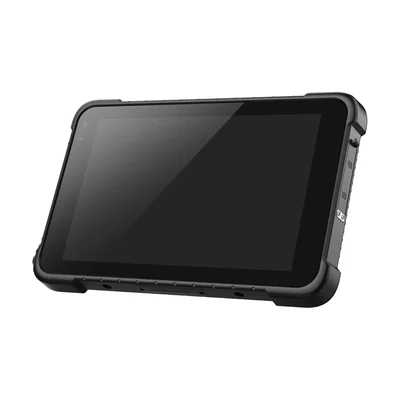
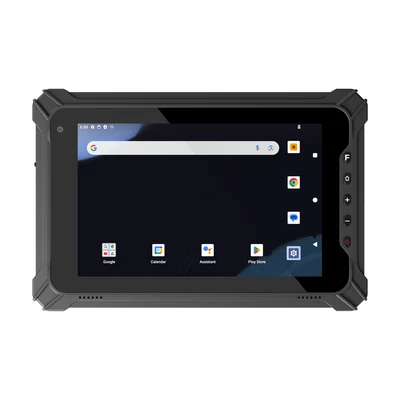
| HX-24 handheld | RT-T86X tablet | RT-T87X tablet | |
|---|---|---|---|
| Screen | 6 in, 1080 × 2160 | 8.0 in, 800 × 1280 | 8.0 in, 1200 × 1920 |
| Weight | 275 g including battery | Approx. 715 g (bare unit) | 910 g |
| Barcode reader | 1D/2D standard | Optional (Zebra SE4710) | Optional (Zebra SE4710) |
| Battery | 5050 mAh | Built-in, 3.7 V / 8,500 mAh | Removable, 3.8 V / 10,000 mAh |
| NFC | 13.56 MHz | ISO/IEC 14443 A | 13.56 MHz |
| Operating system | Android 15 | Android 14 (GMS) | Android 14 (GMS) |
Weight and how it is held
The HX-24 lists 275 g including its battery. The 8-inch tablets list approximately 715 g (RT-T86X, bare unit) and 910 g (RT-T87X). That is roughly three times the weight before any case or strap is added.
The difference shows up in how the device is used. A handheld can be held and triggered with one hand while the other hand moves cartons. An 8-inch tablet is usually held in two hands, or in one hand while the other taps the screen. If workers need a free hand between scans, try the tablet with a hand strap or a shoulder strap and watch a full task cycle, not a single scan.
Order the barcode reader explicitly
On the HX-24, 1D/2D barcode scanning is standard. On the RT-T86X and RT-T87X, a Zebra SE4710 barcode reader is listed as an option. A tablet ordered without it can still use the camera for occasional scans, but camera scanning is not a replacement for a dedicated reader at high scan volumes. If scanning is part of the task, name the barcode reader in your enquiry for every unit. Our guide to integrated scanners versus external barcode capture on tablets explains the alternatives.
Battery: built-in or removable
Battery capacity alone does not tell you whether a device lasts the shift. The larger screen uses more power. The two tablets also differ in how the battery is handled:
- RT-T86X: a built-in 3.7 V / 8,500 mAh battery. The tablet must be recharged, so plan charging between shifts or during breaks.
- RT-T87X: a removable 3.8 V / 10,000 mAh battery. A spare battery can be swapped in during a shift. A spare removable battery is listed as an optional accessory.
Run the real app at the brightness you will use, for a full shift, before deciding. Our guide to planning tablet brightness and battery runtime explains how to set up that test.
Does the app use the larger screen?
An 8-inch tablet is only worth its weight if the app shows more on it. Many handheld apps are built for a narrow phone layout and simply stretch on a tablet. Open the actual screens on both sizes and check whether the tablet shows more fields, a larger photo or fewer scroll steps per task.
Resolution matters here as well. The RT-T87X lists 1200 × 1920 and the RT-T86X lists 800 × 1280, so the same layout looks sharper on the RT-T87X. Check small text and thin barcode images on both.
Other differences between the two tablets
- Brightness: the RT-T86X lists 700 nits and the RT-T87X 550 nits. For mostly outdoor work, test both in daylight.
- Protection: the RT-T86X lists IP67 and the RT-T87X lists IP65.
- Touch: the RT-T86X lists 10-point capacitive touch and the RT-T87X 5-point.
- Charging and mounting: both list a charging dock and a vehicle-mounted bracket as optional accessories. If the device rides in a van or on a cart between tasks, see our guide to vehicle mounts for rugged tablets.
When a mixed fleet makes sense
Many operations end up with both sizes. Pickers and receivers who scan continuously keep handhelds. Supervisors, drivers or inspectors who fill longer forms carry 8-inch tablets. If you go this way, run the same app on both, and confirm that both are enrolled and updated the same way. Our guide to Android Enterprise enrollment on rugged devices covers that step.
What to send with your enquiry
- The tasks each role performs, and how many scans per task
- Screenshots of the app screens used most often
- Whether workers need a free hand between scans
- Shift length and when devices can be charged
- Indoor, outdoor or both
- How many units of each size you plan to pilot
Plan the comparison with our pilot validation checklist.
Devices for this workflow