Short answer: Decide which route the tablet is for. Line patrols need cellular coverage on your corridors, a way to keep working offline, a location fixed to each pole or tower, and a screen readable outdoors. Substation rounds need a reliable way to identify each asset, an inspection client that runs on the tablet's operating system, and a clear answer on whether any part of the round enters a classified hazardous area. If one fleet covers both, choose for the stricter requirement and test on both routes.
Two routes, different demands
| Question | Line patrol | Substation round |
|---|---|---|
| Where is the work? | Long corridors, often remote, on foot or by vehicle | A fixed route inside a fenced site |
| How is each asset identified? | Pole or tower number and location | Tag or label on the equipment |
| Network | Cellular, often patchy | Site network or cellular, depending on site rules |
| Main risk to the record | Lost or misplaced findings when coverage drops | The reading attached to the wrong asset |
| Hazardous areas | Rare | Possible in some plant areas; check the site classification |
Line patrols: coverage and offline work
A patrol may cross areas with weak or no cellular signal. Before choosing a tablet, check two things.
First, confirm that the tablet's cellular module supports the bands your operator uses along the corridor. Our guide to cellular bands, SIM and APN settings covers what to check in a quotation.
Second, confirm that the inspection app saves findings on the device when there is no signal and sends them when coverage returns. Test this on the tablet by switching to airplane mode mid-record. A tablet cannot fix an app that needs a live connection to save.
Line patrols: location and photos
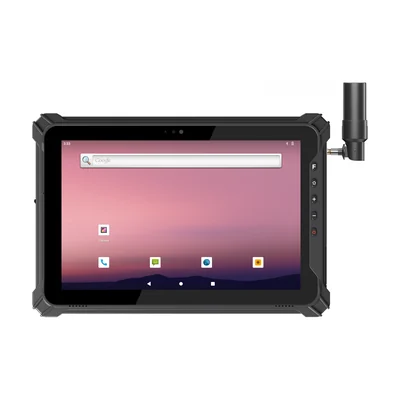
For a patrol, the built-in GNSS of a rugged tablet is usually enough to confirm which pole or tower a finding belongs to, as long as the asset number is also recorded. If the patrol also surveys new structures or clearances to a set accuracy, plan for RTK. The RT-T17X-RTK has integrated RTK.
Defect photos taken from the ground are useful for context, but a tablet camera is not a substitute for a zoom camera or a drone for detail at height. Decide which device captures detailed images and how they are linked to the same record. Our guide to inspection forms and photos on rugged tablets covers how to keep both in one record.
Line patrols: screen and handling
Patrol crews read the screen outdoors, often in direct sun. The RT-I10A and the RT-T17X-RTK list 700-nit screens as standard. Check readability at the actual reading position, as described in our guide to screen readability outdoors.
Some 10-inch rugged tablets weigh over a kilogram. If crews carry them all day, ask about a hand strap, a shoulder strap and a vehicle bracket for the drive between structures.
Substation rounds: identify the asset first
On a substation round, the most common record error is a correct reading saved against the wrong asset. A tag on the equipment that the tablet reads before the form opens reduces that risk.
Many sites use NFC tags. The RT-T17X-RTK includes NFC as standard; the RT-I10A and the RT-I17J offer it as an option, so order it explicitly. Tags mounted on metal equipment need a tag designed for metal. Our guide to NFC tags on metal assets covers mounting.
Substation rounds: hazardous areas
Most of a substation is not a classified hazardous area, but some plant areas can be. Check the site's area classification for every part of the round before choosing the tablet.
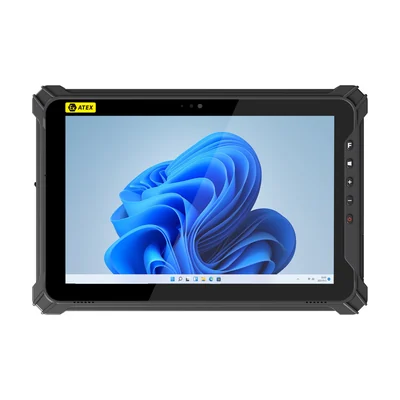
If a round enters a classified area, the tablet must carry a certification and marking that match that zone and gas group. The RT-I17J-EX lists ATEX Zone 2. Ask for its certificate and full marking, and confirm with your site's safety team that they cover the area. Our guide to hazardous-area certification and accessories explains what to check, including chargers and accessories.
A rugged tablet is not an insulated tool. Follow your site's rules for approach distances and work near live equipment, whatever device crews carry.
Windows or Android, and which Windows edition
Many utility asset management and inspection clients run on Windows, and IT teams often need the same domain, VPN and update policies as on laptops. In that case, choose a Windows tablet; our Windows rugged tablet guide covers the options. If the inspection app runs on Android, the RT-T17X-RTK is an Android option with RTK and NFC.
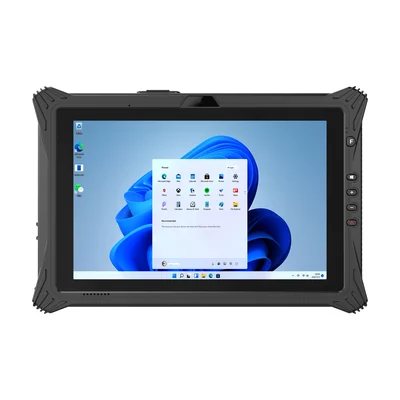
Check the edition as well as the operating system. The RT-I10A lists Windows 11 Pro as standard. The RT-I17J and RT-I17J-EX list Windows 11 Home as standard, with Pro as an option. If you plan to manage updates centrally, order Pro or an IoT edition; our guide to Windows update rings on rugged tablets explains why.
More models for this work are listed on our energy and utilities page.
Pilot both routes
Give a few tablets to one patrol crew and one substation crew for a normal week. Ask them to record:
- places where the app could not save or send;
- assets where the tag could not be read;
- times the screen was hard to read;
- the battery level at the end of each shift.
What to send with your enquiry
Tell us whether the tablets are for line patrols, substation rounds or both, the inspection application and operating system, the cellular operator and countries, how assets are tagged, and the area classification of any part of the round. Send it through Contact and we can suggest a configuration and arrange samples.
Devices for this workflow