Short answer: Order an edition your management tool can control, such as Windows 11 Pro, Enterprise or IoT Enterprise. Use update rings to defer and stage updates, set deadlines that fall outside shift hours, and decide whether driver updates come from Windows Update or from your own tested package. Test each update on a pilot ring of real field devices before it reaches the fleet.
Start with the edition
Intune update rings apply to Windows Pro, Enterprise, Education and IoT Enterprise editions. Microsoft does not list Windows Home among the supported editions. If you plan to manage updates centrally, choose the edition when you order, not after the tablets arrive.
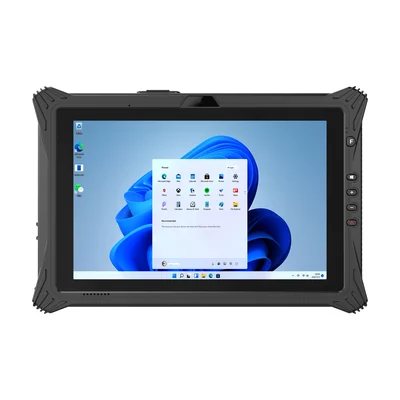
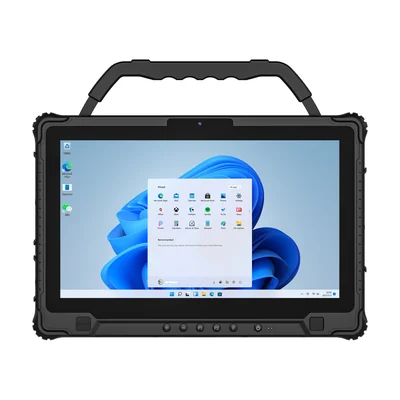
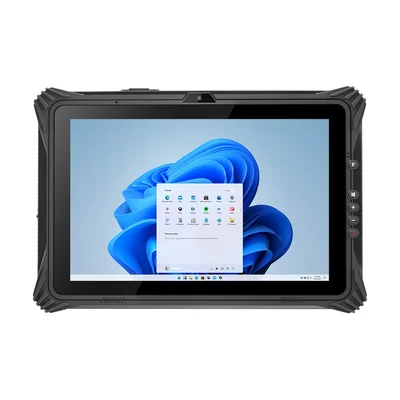
Many rugged Windows tablets offer more than one edition. The RT-I10A and RT-I14M list Windows 11 Pro as standard. The RT-I20J lists Windows 11 IoT as standard, with Pro and Home as options. Our Windows selection guide lists the standard and optional editions for each model.
If you choose an LTSC edition for a long, stable servicing period, plan for monthly quality updates only. Feature update controls in update rings do not apply to LTSC. Our guide to Windows IoT Enterprise LTSC explains what to confirm for that edition.
Separate the two kinds of update
| Question to answer | Quality updates | Feature updates |
|---|---|---|
| What do they contain? | Monthly security and reliability fixes. | A new Windows version. |
| How long can a ring defer them? | 0 to 30 days. | 0 to 365 days. |
| What is the main risk in the field? | An unplanned restart during a shift. | A change in behaviour that affects your application or peripherals. |
| What should you test? | Restart timing and that the application still starts. | The full application, drivers and peripherals on a pilot device. |
You can also hold devices on a specific Windows version with a feature update policy, so that they do not move beyond the release you have tested.
Set rings and deadlines around shifts
Update rings let you roll updates out in stages. A common pattern is three rings:
- Pilot: a few field devices, used by staff who will report problems. Little or no deferral.
- Early fleet: a small share of production devices. Deferred by a few days.
- Broad fleet: everyone else. Deferred long enough for the pilot and early rings to show problems.
Within each ring, set active hours to cover the working shift, so automatic restarts are held back while the tablet is in use. Once the deadline and grace period have passed, the device can restart even during active hours, which is why the next two settings matter. Set a deadline (2 to 30 days in Intune) and a grace period (0 to 7 days) so updates are still installed on devices that are rarely idle. Microsoft recommends allowing an automatic restart before the deadline, so the device can restart outside active hours rather than being forced to restart during them later.
For tablets that work around the clock, schedule a maintenance window, such as a shift change or a docked period, and check that devices are powered and connected at that time.
Decide who owns drivers and firmware
Rugged tablets depend on device-specific drivers for scanners, serial ports, cellular modules and docks. Update rings include a setting to allow or block driver updates from Windows Update, and Intune has separate driver update policies that let you approve drivers before they deploy.
Agree on one route before rollout:
- Windows Update drivers, approved in Intune: convenient, but test each approved driver on a pilot device first.
- A tested driver package from the device supplier: more control, but someone must deploy and track it.
BIOS and firmware updates usually follow the supplier's route. Ask how they are delivered and whether they affect BitLocker. Our guide to BitLocker on rugged Windows tablets covers recovery readiness.
Fit updates into enrollment
Update rings are assigned through the same groups you use at enrollment. Our guide to rugged Windows tablets with Intune covers that step. Place the pilot devices in their ring from the first day, so the first monthly update is tested before it reaches the rest of the fleet.
What to send with your enquiry
Tell us the Windows edition you plan to manage, how updates are delivered today, the shift pattern and the peripherals that need drivers. Send it through Contact and we can confirm the edition and driver package for the tablets you order.
References
- Microsoft Learn: Manage update rings for Windows devices in Intune
- Microsoft Learn: Windows update settings reference (Intune)
- Microsoft Learn: Configure Windows Update client policies in Intune
Devices for this workflow