A larger workspace for field records
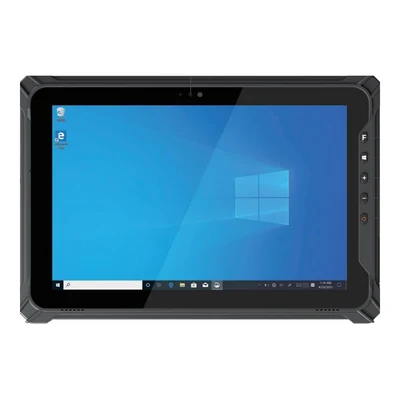
TX-47 · 2 product views
TX SERIES · Rugged tablets
AIDC GO TX-47 Field rugged tablet
Review field records and inspection forms on a 10.1-inch tablet, with optional two-dimensional barcode scanning for identifying items and assets.
- OS
- Windows 11 / Windows 10; Linux configuration available
- Screen
- 10.1-inch
- Capture
- 2D barcode (optional)
- Battery
- 5000 mAh removable
- Protection
- IP65
- Weight
- 1140 g
- CE and RoHS certified
- 1-year warranty
- MOQ: 1 unit
- Standard configurations typically ship within 7 days
Certificates available on request. Lead time for volume and custom orders is confirmed in the quotation.
TX-47 AT A GLANCE
Highlights
Remove the battery for replacement
Dust and water protection
Add barcode capture to the configuration
THE DETAILS
Specifications
Core
- Operating system
- Windows 11 / Windows 10; Linux configuration available
- CPU
- Intel Celeron N5100
- Memory
- 8 GB RAM / 128 GB storage
- Display
- 10.1 in FHD 16:10, 1920 × 1200; HD option
- Touch / input
- 10-point capacitive touch
Data capture
- Barcode
- Optional 2D barcode reader
- NFC
- Optional NFC
Connectivity
- WLAN / Bluetooth
- Wi-Fi 802.11a/b/g/n/ac; Bluetooth 5.0
- Cellular
- 4G cellular bands per configuration
- GNSS
- GPS/GLONASS
- Interfaces
- USB-A, USB-C, mini HDMI, pogo, SIM/TF; extension configuration dependent
Durability
- Protection
- IP65; 1.22 m drop specification
- Operating environment
- -20 to 60 °C; 95% RH non-condensing
Power and size
- Battery
- 5000 mAh removable
- Dimensions
- 274.9 × 188.7 × 23.1 mm
- Weight
- 1140 g
Specifications vary by configuration and region. Confirm the exact configuration in your quotation.
Where it fits
Compare the TX-47 when a Windows form or drawing needs a 10.1-inch workspace and the work point provides a practical place to support the tablet. For a more compact Windows workspace, compare the 8-inch TX-43; for an Android application route, compare the TX-41. A larger screen does not prove that a complex model or desktop application will run adequately: test the actual files and task.
Detailed forms and drawing feedback. The TX-47 has a 10.1-inch FHD display with 10-point capacitive touch for evaluating forms with several values or drawings that need on-site review. Check the longest form, smallest required text and correction steps at the working position. Confirm the selected OS and distinguish viewing or reporting an issue from editing design files; screen area alone does not settle application suitability. Read the guide →
Barcode-led inspections. An optional 2D barcode reader lets a TX-47 configuration begin an inspection by identifying the label attached to the item. Follow the identifier into the asset record and test a wrong label, a corrected value and the final saved result. Read the guide →
NFC identification. Optional NFC makes the TX-47 a candidate for record-matching tasks that start with NFC media rather than a printed barcode. Send the exact media and required data fields, then test how the application handles an unknown or replaced identifier. Read the guide →
Supported and connected work points. USB-A, USB-C and mini HDMI are starting points for identifying the connectors your arrangement needs, not proof that a dock, instrument or vehicle system is integrated. List the exact peripheral, driver or protocol, data destination and simultaneous charging requirement. Compare a fixed support position with removing the tablet to continue the same record, including retention, cables and accessory fit. Read the guide →
Confirm when you quote
Ask for the tablet configuration and any stand, mount, charging equipment or cables as identifiable quote items, with included items distinguished from extras. Separately assign application licences, peripheral drivers or interface work, and responsibility for receiving the resulting records.
Display and capture. TX-47 lists a 10.1-inch FHD display with an HD option, an optional 2D barcode reader and optional NFC. Identify the display and capture options required by the form, using real labels or NFC media during evaluation.
Interfaces and cellular. TX-47 lists configuration-dependent interface extensions and regional 4G cellular bands. Supply the connection requirements, deployment countries and equipment specifications needed to review the interface configuration.
Carrying and data entry. The TX-47 weighs 1140 g and has a 5000 mAh removable battery. Have the intended operator follow a normal route while carrying the sample and completing the form, noting where a stable surface is needed and how battery handling fits the work sequence.
Start with the application or drawing task, where the tablet will be supported or carried and any essential connected equipment, plus the country and approximate quantity. Exact file and connection trials can follow before a sample or order. If you have not chosen a model, use Request a quote, clear the selected model and choose Not sure yet. Use Related models below to compare the smaller Windows workspace or the Android route.
FAQ
What OS does the TX-47 run?
Windows 11 / Windows 10; Linux configuration available.
How large is the TX-47 screen?
10.1 inches, with an FHD 1920 × 1200 display and an HD option. Use the intended scaling for your longest inspection form.
Does the TX-47 include a barcode reader?
A 2D barcode reader is optional. Identify the label type used to open the asset record.
What battery does the TX-47 use?
5000 mAh, removable. Plan the battery change around the operator workflow.
What protection rating does the TX-47 have?
IP65, with a 1.22 m drop specification.
Can I request a TX-47 sample?
Sample evaluation can be discussed through the product inquiry form. Send the chosen display and capture options with the field form.
What is the minimum order quantity?
1 unit, so you can start with a sample.
How long is the lead time?
Standard configurations typically ship within 7 days. Lead time for volume and custom orders is confirmed in the quotation.
Related guides
DOCUMENTATION & INTEGRATION
Downloads & SDK
Related models
TX SERIES
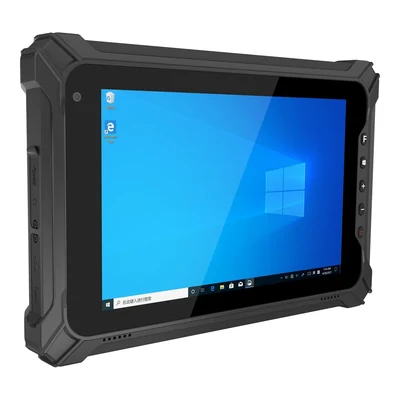
AIDC GO TX-43
Compact rugged tablet · 8 in FHD, 1200 × 1920; HD option · Optional 1D/2D barcode reader
View specs →