Short answer: Separate receiving, shelf replenishment, stock counting, order handling and returns before comparing retail handhelds. Each task needs its own item context, quantity rules and confirmation in the retail or warehouse application.
Compare store and distribution conditions
A store aisle, backroom and distribution work point can use the same item identifier in different ways. Bring the actual label positions, lighting, carrying space and application screens into the comparison. Include quantity entry and corrections, especially where gloves or repeated scans affect handling.
Compare compact repeated scanning with the screen space needed to review several lines or quantities. Use the existing client in the evaluation. Screen size alone does not establish that a task needs a tablet.
Distinguish a shelf-gap scan from a replenishment task
A scan can record an observed gap, request a quantity or confirm a task created by the application. Establish which operation is required. Identify who maintains the item, location and quantity information and what the next worker sees.
Use a visible shelf gap, less backroom stock than requested and an assortment change as proposed evaluation cases. Follow each through task creation, picking and the receiving worker’s record. Compare suggested and actual quantities and the application’s save and completion steps.
Keep price information tied to the store application
A staff price check needs the retailer’s result for the item, variant, selling unit and store. A generic catalogue value or consumer comparison result is a different answer. Decide whether the task needs a single-item lookup or a calculation that depends on quantities, other items or customer eligibility.
If the existing employee client provides the required result, compare its supported operating system, scan input, access and screens with the proposed device. If the result is missing, identify the application connection and the team responsible for it. A new reader or larger screen does not add that connection.
Separate stock counts from exit detection
A mobile stock count and an ongoing observation at a store exit are different system scopes. Keep this device comparison focused on staff-led inventory and item checks. Specify the expected inventory, tag placement, nearby stock and the application’s response to missing or unexpected tags.
Where the workflow uses both RFID and barcode, identify the step served by each method and the model options required. Reconcile the inventory in the application before treating a reading task as complete.
Keep returns and order handoffs traceable
For returns, keep the reference, received item, observed condition and next destination together. Receiving a quantity, accepting it for sale and deciding a commercial outcome are separate decisions. Define who can correct the condition or destination.
For orders, follow the requested item and quantity through picking, handoff and confirmation. Include an unavailable item, a partial quantity and an interrupted connection. Record what remains pending and how the next worker recognises it.
Prepare the hardware request
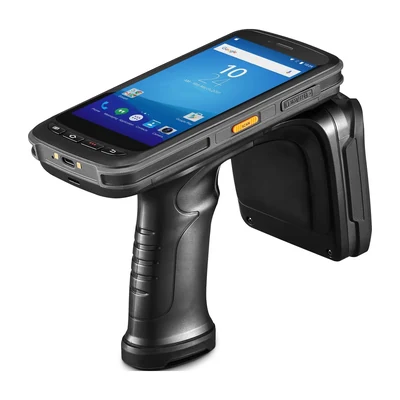
Compare HX-24 for touchscreen barcode tasks and RX-56 for a defined UHF RFID task. Provide the country, quantity, application, labels or tags and required configuration. The shared integration and sample checklist covers responsibility and support handoffs.
Devices for this workflow