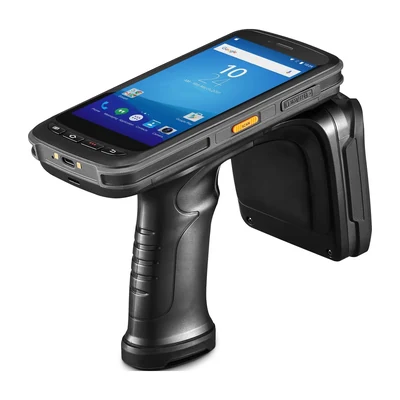
Short answer: Use barcode when a worker should deliberately identify a visible item or location. Evaluate UHF RFID Handheld Readers when tagged-item groups or inventory zones fit the task. The choice depends on identifiers, physical conditions and the application’s handling of missing, repeated and unexpected reads.
Start with the business event
Describe what the worker must confirm: one picked item, a pallet location, a shelf count or an asset search. Identify the required record and the response that closes the task. Different events in one facility may use different capture methods.
Barcode supports an intentional presentation step. UHF RFID can return several identifiers during one read event, so the application needs rules for selecting the relevant set. Compare the complete transaction, including corrections and confirmation, rather than only the read action.
Prepare labels, tags and identity mapping
Collect real barcode labels with the print, wear, curvature and positioning seen at work. For RFID, test tags attached to the actual items, including their contents, packing and neighboring stock. Tag placement and material can change the observed result.
Define who assigns identifiers and binds them to records. Keep a replacement process for damaged labels and tags. The customer application remains the source of inventory state and permissions; a device read supplies an observation that must be interpreted.
Plan a mixed barcode and RFID workflow
A project can use barcode for a deliberate item confirmation and RFID for a separate count. Keep identity mappings and accepted-event rules consistent across both paths. Decide what happens when the same item is presented through each method.
GS1 distinguishes product-class identity from serialized item identity. If two units share a product barcode but have different serialized RFID identifiers, suppressing every repeated product code can lose a legitimate unit. An illustrative mixed-item test should include two units of one product, an unreadable tag and an item seen through both methods. GS1 US explains GTIN identification.
Compare exceptions under the same conditions
For barcode, include damaged, hidden, duplicate and unexpected labels. For RFID, record missed target tags, repeated reports and nearby tags outside the intended task. Define retry, manual correction and supervisor paths for the exceptions that matter.
Use the same item-identification brief and required business result for both proposals. Keep each method’s real operator interaction. Record the configuration, application version, sample media and accepted record, then send the remaining questions through Contact. The pilot checklist provides a broader deployment test.
Device options for this task
Compare AIDC GO HX-24 for mobile 1D/2D barcode work and AIDC GO RX-56 for handheld UHF RFID. Where a combined workflow needs the RX-56 barcode option, include that option explicitly in the quotation.
Questions teams ask during evaluation
Is RFID always faster than barcode?
No universal performance conclusion is appropriate. The complete workflow, item and tag readiness, read-zone behavior, exception handling and application confirmation must be evaluated in a representative pilot.
Does RFID remove the need for operator confirmation?
Not necessarily. The application still needs rules for accepted, unexpected, duplicate and uncertain reads, and the worker may need clear feedback or a correction path.
Can one project use both barcode and RFID?
Yes, when each method has a defined event, identifier owner and system boundary. The project should also define how the two observations relate and which record is authoritative.
Should the device model be selected before the workflow?
No. Define the capture event, environment, application behavior and pilot evidence first, then compare selected device options and configurations.
Devices for this workflow