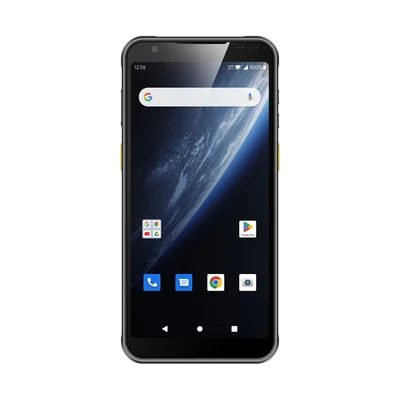
A team that already carries rugged handhelds may want to add push-to-talk instead of issuing another device. That can simplify the carried kit, but only if the communication service, controls and coverage fit the job. Buying a handheld with a speaker, microphone and cellular modem does not buy a working group-voice system.
Push-to-talk (PTT) here means operator-initiated voice communication with a person or group. Broadband PTT uses a data connection and a selected communication service; it is not automatically a direct radio link between nearby devices. This guide concerns ordinary business coordination, not approval to replace emergency or safety-critical communications. It is also different from voice-directed picking, where software supplies task instructions and interprets responses.
Decide who must reach whom before choosing the device
Describe the actual conversation: a maintenance worker calling a supervisor while viewing a work order, a technician asking a storekeeper for a part, or a mobile crew coordinating across sites. Identify the required recipients, group membership, working locations and whether those people already use a radio system. A barcode task and a voice call are separate requirements, even when one device carries both.
Specify whether a worker must receive calls with the screen locked, transmit without leaving the business app, use an specified headset, or communicate where the proposed data service is unavailable. If an existing radio channel must remain accessible, ask the communications owner to name the system and the supported interconnection—not just request “radio compatibility.”
Compare three assemblies, not three enclosure prices
| Arrangement | When it may fit | What belongs in the quote |
|---|---|---|
| Business handheld plus a broadband PTT app | Fit: The same worker needs data tasks and group voice, and the selected app remains usable alongside those tasks. | Quote: Exact handheld/build, app release, service entitlement, data plan where needed, button integration, audio accessories and management work. |
| Separate dedicated broadband PTT device | Fit: Voice controls should remain separate from the business screen, or some roles need voice but not the handheld application. | Quote: Dedicated device, service, coverage, charger and carrying arrangement. A second broadband device is not an independent fallback if it shares the failing network or service. |
| Retained land-mobile radio system, with or without a supported bridge | Fit: The existing radio operation is still required, or the project needs a separately evaluated communication path. | Quote: Named radio system and accessories; any supported gateway, service, installation and administration. Do not infer interoperability or independence from a PTT label. |
These arrangements can coexist across roles. A supervisor may use the handheld app while another team retains radios. Compare the working assembly and its operating costs over the same procurement period, including renewals, configuration, replacement accessories and support. Do not credit “one less device” as a saving until the combined workflow is demonstrated.
Name the current service and its lifecycle
Motorola Solutions’ US WAVE PTX page presents a mobile app, dedicated broadband devices and web dispatch, and describes per-user subscriptions. Those are components of that named offering, not features included with a generic Android handheld. Confirm the current regional offer, supported client release, device/build list, subscription unit and radio-interconnection design before comparing quotations.
Check whether the proposed push-to-talk software is still sold and supported for the required device and region. Obtain the current release, audio-routing requirements and any migration plan from an older service. An existing deployment does not establish an automatic migration path.
These third-party examples establish the suppliers’ named offerings only. They do not establish AIDC GO software licensing, radio-system integration or compatibility with a particular handheld. Obtain a written division of supply and support responsibilities for the proposed project.
A programmable button is not a complete PTT control
Ask who maps a physical key or accessory button to the exact PTT client, and whether the mapping is supported with the business app in front, under the chosen kiosk policy, and with the screen locked. A key might invoke scanning in one context and voice in another. The operator needs an unambiguous way to select the intended group and know whether transmission was accepted by the client.
Trace the microphone and speaker route after headset reconnection and after switching between a call and the work app. Agree which sounds have priority and whether a scan confirmation remains recognizable. A connected Bluetooth accessory does not prove that its microphone, PTT button and audio route are all supported. Do not treat a loud speaker specification as evidence of intelligibility in the actual workspace.
The software owner must document the supported Android build, target SDK, permissions and startup behavior. For apps targeting Android 14 or higher, Android requires appropriate foreground-service type declarations. Its documentation also describes microphone permission and background-start restrictions, with exceptions. This does not mean that all PTT apps stop when the screen locks, or that granting microphone permission makes every client work. Require the app supplier to explain and demonstrate its supported design. The GMS/AOSP application-dependency guide covers the separate distribution and service-dependency decision.
Keep coverage, service access and radio bridging separate
A Wi-Fi icon is not evidence that the PTT service is reachable or that the intended recipient heard a message. Evaluate the agreed working route, including locked-screen pauses and the actual data connection. The network-handover and application-recovery guide helps separate a network transition from service behavior; it supplies no voice-continuity guarantee.
If the project retains a radio system, identify the supported bridge and the teams responsible for it. Define which groups connect, how group changes are administered, and what operators see when the bridge is unavailable. Do not assume that a mobile app can directly join an arbitrary radio channel or that two services with PTT buttons share a protocol.
Also identify shared failure dependencies. Two devices using the same cellular service may fail together. A Wi-Fi system may share the same backhaul as another route. An independent radio path, where required, needs its own design and verification by the communications owner; merely carrying two devices does not establish independence.
Work through a purchase decision with the real app
Hypothetical procurement example—not a customer result or product test: a maintenance technician uses an Android handheld for asset scans and job records while contacting a supervisor. The team compares adding an specified PTT client with retaining its current separate radio. It does not establish either arrangement is faster.
In a controlled evaluation, the technician scans an asset and leaves the job open, receives a group call, replies through the proposed control, then returns to the same unsent record. Next, the team checks the agreed locked-screen behavior and the documented response to loss of the data service. The communications owner checks group membership and receipt at the intended recipient; the application owner checks that the job remains intact. Use test accounts and non-production records, not unapproved traffic on a live operational channel.
If the client requires leaving the work app to transmit, the quote must explain that workflow rather than advertise a one-button arrangement. If calls become unavailable on a required route, retaining the separate radio or changing the communication design remains an option. If both proposals satisfy the agreed task, compare the full equipment, service and administration burden. Record failures and unresolved behaviors; this guide gives no call-setup, coverage or throughput promise.
Ask for a divided, supportable quote
Request separate lines for hardware and accessories, communication subscriptions, data connectivity, any radio bridge, application/button integration, management configuration, commissioning and ongoing support. Mark each line as supplier-provided, customer-provided or outside scope. Identify who provisions users and groups, maintains the client, approves device updates and investigates voice-versus-data failures. Where licensing differs by user, device, concurrent session or dispatcher, obtain the provider’s actual rule instead of assuming one license per enclosure.
Use the handheld-terminal category to discuss the data-device options. Bring the selected PTT service, project country, work app, required controls and proposed audio accessories to Integration & Support. For an equipment-selection enquiry, contact AIDC GO with that configuration and ask which hardware, documentation and integration work are actually in scope. Confirm the specific model and supply boundary before treating the combined setup as a purchasable package.
Devices for this workflow