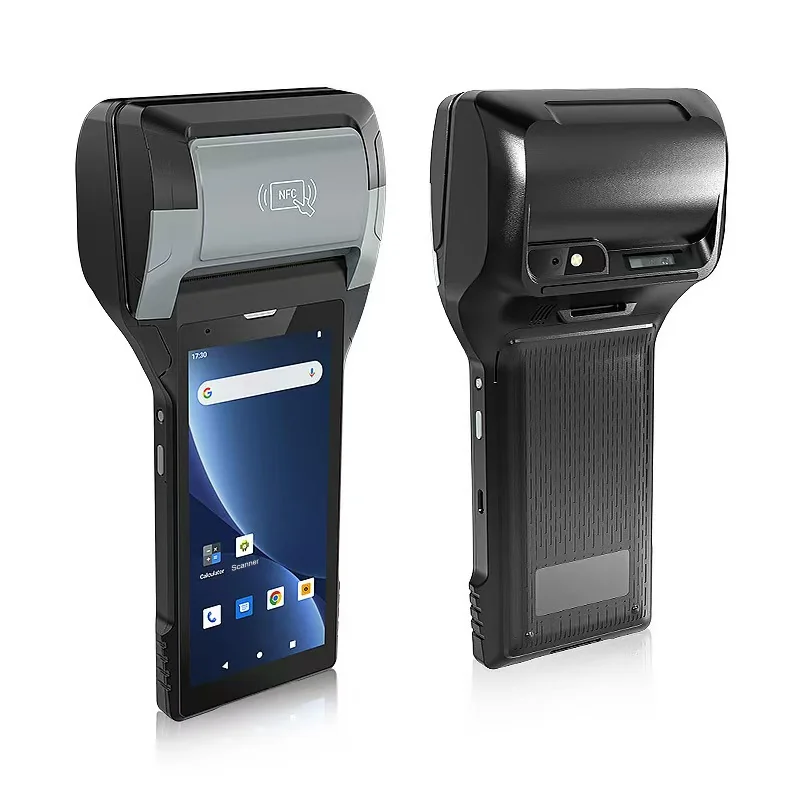
A biometric sensor can make a device easier to unlock, but it does not by itself sign the right worker into a warehouse or field-service application. Before buying a shared rugged Android handheld for fingerprint or face-based work, specify the exact device configuration, Android build, business-app version and identity flow. Accept the solution only when a successful authentication leads to the intended application account and the next worker cannot continue under the previous worker’s session.
This is a different decision from choosing a durable scanner. The device may recognize an enrolled person, the app may request a system authentication prompt, and the business server may accept a named user’s transaction. Those are three separate events. A buyer needs evidence connecting all three, not a photograph of a fingerprint sensor.
Ask which action the biometric actually authorizes
First identify whether the requirement is to unlock Android, re-authorize a sensitive step inside an already signed-in application, or establish the business user’s session. An Android unlock does not automatically replace application sign-in. A prompt shown by the application is useful evidence only if the application then enforces the correct account, task permissions and session lifecycle. The business application and identity provider, not the sensor alone, define whose work is recorded.
Android’s biometric authentication guidance recommends Credential Manager for initial sign-in and describes BiometricPrompt or Credential Manager for later re-authorization. Its examples require the app to declare accepted authenticator types and check availability. That guidance is about Android application design; it does not establish that any AIDC GO model has a sensor or that a third-party business app uses the prompt.
Request the app supplier’s supported Android versions, the sign-in and re-authorization design, and the exact authenticator types it permits. Android distinguishes strong, weak and convenience biometric classes; the Android Open Source Project biometric documentation describes different platform privileges for those classes. Do not equate a listed face-unlock option with a Class 3 sensor, a Keystore-backed operation or support in the proposed app. Where a particular app requires a strength class or device credential fallback, obtain that requirement from the app owner and verify it on the quoted build.
Separate operator authentication from employee attendance capture
Ask whose identity the proposed fingerprint function must establish. A supervisor unlocking a handheld and a supervisor using that handheld to record another employee’s attendance are different tasks. In the second task, the employee being recorded need not be the device user or the signed-in application operator. State whether the project needs operator authentication, an attendance capture function, or both before comparing devices described as having a fingerprint reader.
Keep Android platform biometric authentication separate from an application that enrolls and matches biometric records. Identify which design the project requires and which component holds the data. Platform authentication does not establish that the business app can obtain fingerprint templates for its own database. Related reference: platform biometric security guidance.
For an attendance proposal, have the application provider identify the supported capture component and software route, where enrollment and matching occur, and what record reaches the receiving system. Separate the operator account from the employee identifier. Name who provides enrollment tools, authorized access, any documented SDK integration and receiving-side setup. A supplier should explain the supported arrangement rather than promise access to Android’s protected templates. Do not collect real employee biometrics merely for a purchasing demonstration; use controlled test identities and the organization’s authorized process.
Illustrative quotation comparison, not a customer deployment: one offer includes a handheld with fingerprint unlock; another includes a supported attendance capture configuration and client. They are not equivalent if the job is to take attendance for a crew. If the specified attendance client instead accepts badges or barcodes, evaluate that documented route rather than requiring fingerprint capture by default. Compare the equipment, enrollment and application work actually needed at the work point. An accepted attendance event is still not proof that payroll has imported or specified it; agree who confirms that handoff without assuming AIDC GO provides the software, licenses or integration.
For a separate member-reception task, compare PC-based check-in, check-in independent of that PC and physical-entry control before choosing the identification point; these application routes are distinct from authenticating a shared-handheld operator.
Specify the whole shared-device boundary
A shared pool changes the acceptance question. Is each worker assigned a separate Android user, or do several workers use one device user and switch accounts inside the business app? Who enrolls biometrics, removes them when a worker leaves, and controls access to the fallback PIN? What happens if the specified biometric is unavailable or the worker is wearing gloves? These are deployment-policy and application questions; a hardware specification cannot answer them.
The existing shared-handheld handover guide covers sign-out, unresolved work and next-user access. This guide narrows the purchase decision to what biometric authentication can authorize within that handover. Android’s multiple-user management guide describes a particular device-policy-controller design and notes that multi-user support is optional. Do not infer that every rugged Android device or app provides that design.
The hardware-backed-key guide addresses a separate cryptographic question. A successful fingerprint prompt neither proves that an application’s key is hardware-backed nor identifies which business account receives the next transaction.
Among our printing handhelds, the PX-608 lists a fingerprint module as an option; test it with the app's own sign-in, not only with the device unlock.
Use one controlled shift-change exercise
Editorial example, not a customer deployment or device test: Worker A scans a container while one upload remains pending. A signs out and hands the device to worker B. B authenticates using the configured method and opens the same application. A valid result is not simply “the fingerprint was accepted.” The exercise must show the pending transaction still attributed to A or explicitly escalated under the application’s rule, B’s new transaction attributed to B, and A’s private screens or cached records inaccessible to B.
Run the same exercise with an unrecognized finger or face, a sensor temporarily unavailable, an unenrolled worker, an offline device and a restart. Record whether the app denies the action, offers an specified fallback, or leaves a previously authenticated session open. Android’s BiometricManager reference distinguishes no hardware, hardware unavailable and no enrollment in availability checks; the app still has to handle those results. A prompt failure should not silently post a business transaction under the last successful user.
Document the Android build, device variant, management policy, app release, identity provider configuration, enrolled test users and result for every branch. Do not enroll production workers or expose real biometric material merely to run a sales demonstration. Use controlled test identities and the organization’s privacy procedure.
Turn the demonstration into purchasing evidence
Request an exact hardware quotation stating whether the proposed device variant has the named biometric component, plus the vendor’s supported software configuration. Separately request the application supplier’s version-specific authentication design, fallback behaviour and account-switch procedure. Ask the management team how enrollment, removal and device reassignment work in its chosen mode. If any party cannot document its part, mark that part unverified rather than claiming end-to-end biometric login.
Compare appropriate candidates in the handheld terminals category. Use Integration Support to discuss the exact device, Android version and application interface. AIDC GO has not, in this guide, confirmed a biometric sensor or a particular identity integration on every listed model.
For an enquiry, send the intended sign-in and handover sequence, the app and management versions, the number of workers per device and the acceptable fallback. The acceptance record should name the user who actually owns each test transaction, not stop at the unlock animation.
Devices for this workflow